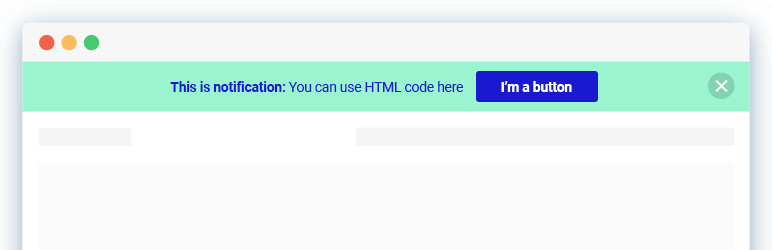

Katrangan
Multiple notification bars with React-powered customizer, live preview, smart scheduling, and per-bar display rules.
This plugin lets you create and manage multiple notification bars at once. Configure each bar independently (content, style, devices, display pages, close behaviour) all inside the native WordPress Customizer with instant live preview.
The Dismiss button supports three modes: close permanently, collapse/toggle, or disabled.
Per-bar page/post rules let you show bars on all pages, no pages, or a specific include/exclude list.
Notibar seamlessly integrates with your existing WordPress theme, ensuring a cohesive look and feel. It has integrated clear and compelling call-to-action buttons to drive user engagement and conversions.
🔔 Check out Notibar Pro – Notification Bar for WordPress
⚡️ FEATURES
This alert banner is built to optimize appearance and drive a positive impact on your WordPress website traffic and conversions:
- Designed with clean UI & modern style
- Schedule the date and time to go live
- Display in absolute or fixed positioning
- Custom color, text, click-to-action
- Various notice bar style presets
- Set text container width and alignment
- Actions for Dismiss button: disable, toggle, close for good
- WYSIWYG visual banner editor with live preview
- Display on all pages/posts or specific page/post ID
- Add different content for mobile devices
- Drag and drop to reorder announcement bars
- One click to duplicate a bar template
- Export/Import for a quick migration
- 100% mobile-responsive
🚀 TYPICAL USE CASES
These are good ideas on how to exploit the Notification Bar plugin:
- Important announcements
- Technical notices
- Time-sensitive appeals for donation or CTA
- Subscription increase
- Terms or operational changes
- Privacy policy acknowledgments
- Maintenance messages
- Service outage or resource shortage
- Seasonal offers or promotions on WooCommerce stores
- Driving traffic to other sites
Notibar is ideal for you to promote upcoming events, new blog posts, product launches, or special offers with ease.
Did you know? You can even capture email leads by offering incentives and integrating with your email marketing provider.
🎉 Supported Themes and Plugins
We have done extra work to ensure complete compatibility with all themes, page builders and other popular plugins.
📝 Documentation and Support
If you’re having issues, do let us know and we’ll try to help you out.
You can always reach us at Ninja Team Support Center.
♥️ Like this Top Bar Alert Plugin?
- Rate us 5⭐ stars on WordPress.org
- Check out these tutorials to create successful WooCommerce stores
Gambar conto
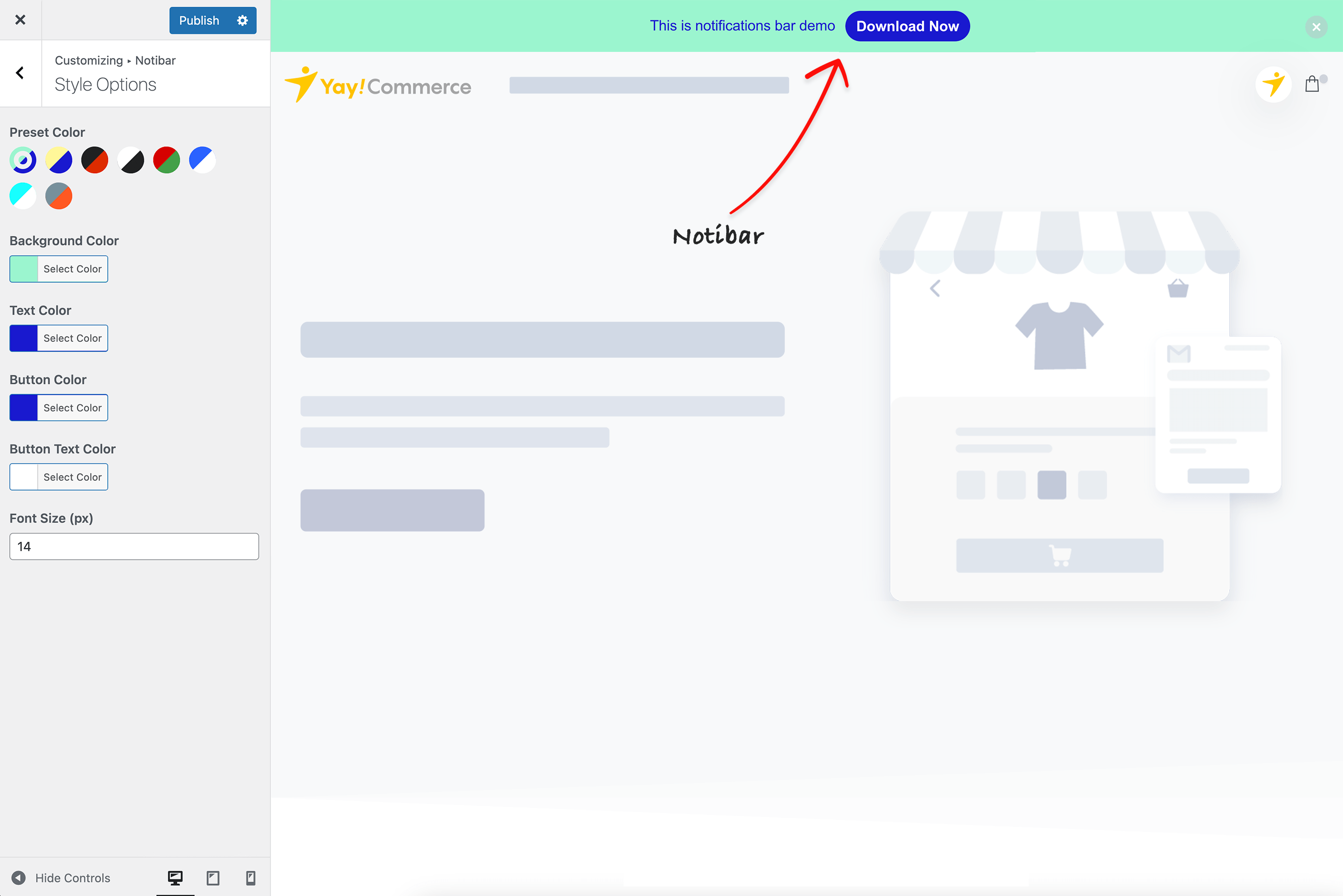
Notification bar settings location 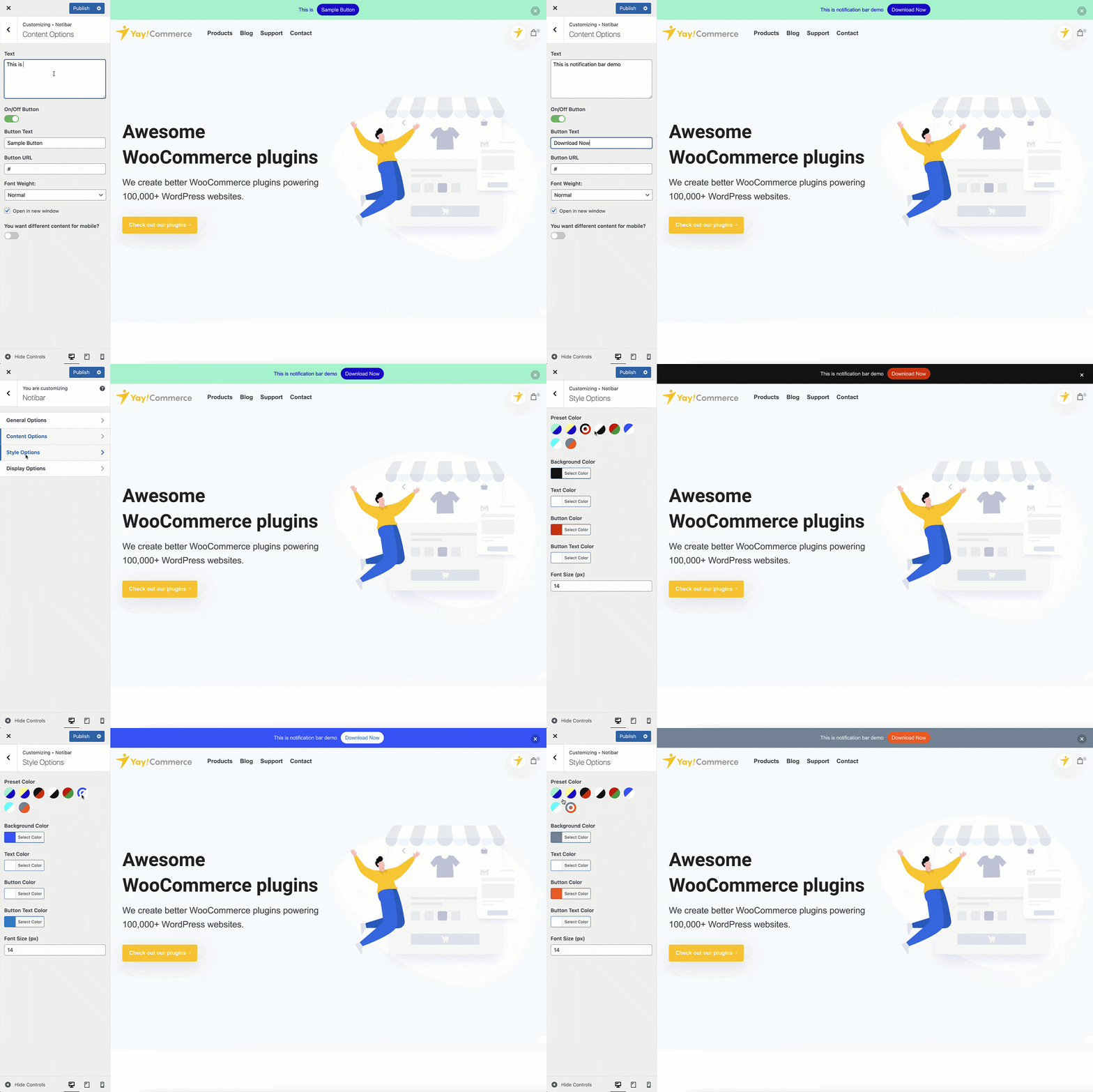
Edit content and preview it
Pemasangan
- Upload the entire plugin folder to the ‘/wp-content/plugins/’ directory.
- Activate the plugin through the Plugins menu in WordPress.
Upon activation, you will see a new Notibar menu. Simply click to customize the WordPress notification bar element by changing all default settings for text, styles and effects.
FAQ
-
Can the free version display multiple notification bars?
-
Yes. Even on the free plan, you can create and schedule multiple bars. Manage each bar with its own content, design, and display rules.
-
How to control which pages or posts a bar appears on?
-
The free version lets you show or hide specific bars on any page or post. Just select them from the dropdown in the display settings. If you need to show/hide based on custom post types or WooCommerce products, then you will need Notibar Pro.
-
Can I schedule when a bar appears and disappears?
-
Yes. The free version includes scheduling with a start and end date/time, as well as an auto ON/OFF daily schedule, so your bars go live and expire without any manual work.
-
Can I show different content to mobile visitors?
-
Sure thing! You can set separate content and button for mobile devices, so your notification bar always looks and reads well regardless of screen size.
-
Can I reorder or duplicate my bars easily?
-
Yes. The free version includes drag-and-drop reordering and a one-click duplicate option, making it quick to manage and experiment with your bars.
-
Is it possible to use custom HTML or CSS in my notification bars?
-
Yes, both HTML and CSS are supported in the free version, so developers can fully customize the look and content of the announcements. Moreover, you can use CSS to force the notification display/swap before lazyloading or make it compatible with your caching system.
-
Can a bar reappear after a visitor closes it?
-
Yes, you can configure each bar to re-display after a specified period, so returning visitors will see it again after a set amount of time.
-
Is Notibar free?
-
Yes. Notibar is free and includes everything you need to run multiple notification bars: content & styling, HTML/CSS support, mobile-specific content, 3-state dismiss, per-bar page/post display rules, and Export/Import.
Notibar Pro adds advanced conversion tools on top of the free plugin:
- Rotation mode (A/B testing): cycle multiple bars by sequence or random, with a custom interval and pause-on-hover
- Targeting by custom post type (including WooCommerce products)
- Advanced reports: per-bar click & dismiss tracking
- Display a bar at the bottom of the screen
- Conditional display by user role or specific users
-
Does conditional display by role/user work with page caching?
-
Role and user targeting (a Pro feature) is evaluated on the server, so a full-page cache that serves one cached HTML to every visitor can show the wrong bars. The standard fix, which is used by virtually every membership/role-aware plugin, is to exclude logged-in users from the page cache (most caching plugins do this by default). Logged-out visitors all correctly receive the “logged-out / everyone” set; logged-in users then get their role/user-specific bars evaluated fresh.
-
Does Notibar support multilingual sites (WPML / Polylang)?
-
WPML: Yes. Notibar v3.0+ integrates with the WPML String Translation addon. After you publish a bar, its text, button label, and button URL are auto-registered as translatable strings under the
notibardomain. Translate them in WPML String Translation, and the right language renders automatically on the front-end. Both WPML core and the String Translation addon must be active, without the addon, Notibar silently serves the original strings.Polylang: Polylang support in v3.0 is a documented stub only — there is no automatic per-bar string registration. If you need Polylang translation today, register each string manually with
pll_register_string()from a child-theme or custom-plugin hook (the string names follow the patternbar-{id}-text,bar-{id}-textMobile,bar-{id}-buttonText, etc., and live in thenotibardomain). Full Polylang integration is planned for a future v3.2+ release. -
Which themes does this notification top bar work with?
-
Notibar plugin is built to work wonderfully with all Elementor themes, block themes and other WordPress page builders.
-
Is this top bar compliant with GDPR?
-
Absolutely! Notibar doesn’t collect or store any personal information. So rest assured.
Mācā ulang


Contributors & Developers
“Notibar – Notification Bar for WordPress” is open source software. The following people have contributed to this plugin.
Kontributor
Translate “Notibar – Notification Bar for WordPress” into your language.
Interested in development?
Browse the code, check out the SVN repository, or subscribe to the development log by RSS.
Caathetan Owahan
May 26, 2026 – Version 3.1.0
- New: Schedule in visitors’ local timezones (Pro version only)
- New: Display bars at bottom (Pro version only)
- New: Conditional display based on user roles, logged-in, logged-out or specific users (Pro version only)
- New: Hide/Display bars on WooCommerce products or Custom Post Types (Pro version only)
- Updated: Compatible with WordPress 7.0
Feb 25, 2025 – Version 3.0.0
- Added: Admin menu
- Added: Multiple Bars support (display different content across different pages)
- Added: Rotation option for alternating bar display (Pro version only)
- Added: Schedule open/close time for bars
- Added: Tracking functionality (Pro version only)
- Added: Import/Export Bars feature
- Updated: Refreshed UI design
Jan 26, 2026 – Version 2.1.9
- Improved: WCAG Level AA compliance
May 15, 2025 – Version 2.1.8
- Fixed: CSS refactor for notification bar
May 6, 2025 – Version 2.1.7
- Fixed: Resolve the bug that is deprecated in PHP 8
Feb 26, 2025 – Version 2.1.6
- Fixed: Security – Authenticated (Administrator+) Stored Cross-Site Scripting (WordFence reported)
Dec 10, 2024 – Version 2.1.5
- Fixed: Security (WordFence reported)
29 Jul 2023 – Version 2.1.4
- Fixed: Display options issues
26 Jul 2023 – Version 2.1.3
- Fixed: Override options when updating to the new version
- Fixed: Dropdown layout
24 Jul 2023 – Version 2.1.2
- Improved: UI
- Fixed: Improve display options
20 May 2023 – Version 2.1.1
- Fixed: Notibar in homepage
20 May 2023 – Version 2.1
- Added: Exclude page/post and include page/post
- Added: Add option button font weight
- Fixed: Small CSS bugs
2.0
- Fixed: Header issue
1.9.9
- Added: Compatible with Astra theme
1.9.8
- Added: Translation
1.9.7
- Improved: Notibar display smoother when scroll
- Updated: Compatible with Essential theme by Pixfort
1.9.5
- Improved: UI
1.9.4
- Fixed: Undefined index notice when users doesn’t have manage_options capability
- Fixed: Publish enabled issue
- Fixed: Styling Options can’t be modified on Firefox
- Fixed: Notibar doesn’t show on search page
1.9.3
- Added: Support shortcode
- Added: Support WPML for URL field
- Added: Support Konte theme
1.9.2
- Fixed: Notibar displays again when scroll on Safari
- Improved: Set style max-width for text content
1.9.1
- Improved: Compatible with WordPress 5.6
1.9
- Added: Support Enfold theme
- Added: Support Nayma theme
- Added: Support Essentials theme
- Fixed: Creates a random white space at the footer when close notibar
- Improved: CSS
1.8
- Added: Support WPML and Polylang
- Added: Button text color option
1.7
Improved: Width for Notibar
Fixed: Some small bugs
1.6
Fixed: Bar shows again after closed on mobile
1.5
- Added: Cookie for Notibar
- Fixed: Some smal bugs
1.4
- Added: Option different content for mobile
- Improved: Mobile preview
- Fixed: Some smal bugs
1.3
- Added: Support mobile view
- Added: Choose devices want to display notibar
- Improved: UI
- Fixed: Some small bugs
1.2
- Improved: UI/UX
- Improved: Optimized source code
1.1
- Improved: UI/UX
- Fixed: Some small bugs
1.0
- Release date: September 19, 2020