
Katrangan
This plugin lets you place a WordPress site into maintenance mode and display a custom message, HTML page, or redirect users to a static page or external URL.
It also disables the WordPress REST API while maintenance mode is active, helping keep site data inaccessible during maintenance.
Any logged-in user with administrator privileges can be allowed to view the site, and the required capability can be changed through a filter hook. See the FAQ section for details.
The maintenance mode behavior can be enabled or disabled at any time without losing the configured settings. However, deactivating the plugin is still recommended when maintenance mode is not needed.
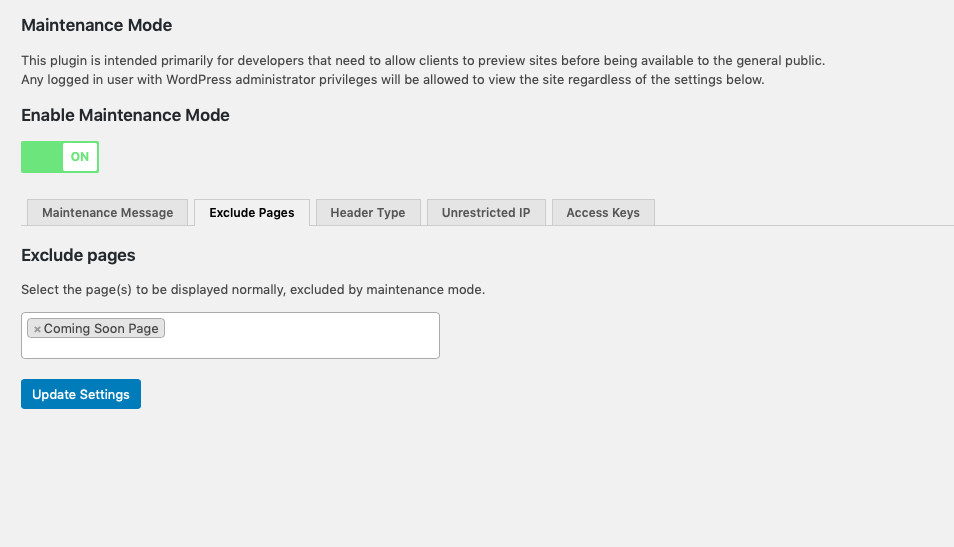
The plugin also supports excluding specific pages from maintenance mode so only selected pages remain visible.
When maintenance mode is active, the plugin sends no-cache headers to help prevent caching plugins, CDNs, or browsers from storing responses that would bypass the maintenance page.
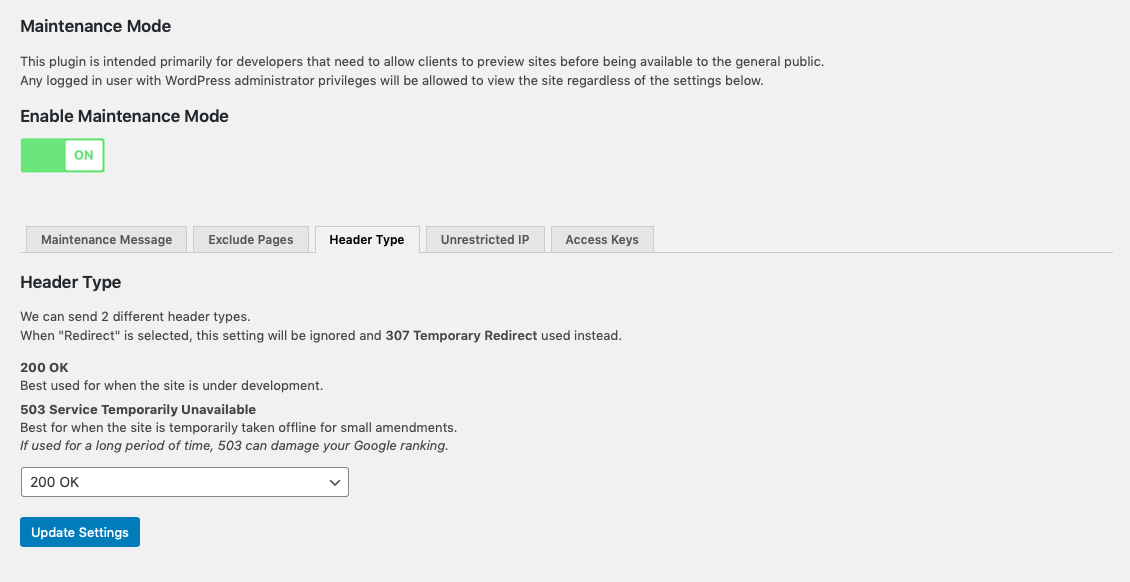
When redirect mode is enabled, the plugin can send two different response codes. “200 OK” is suitable for development environments, while “503 Service Temporarily Unavailable” is better when the site is temporarily taken offline. If used for long periods, 503 may negatively affect search engine visibility.
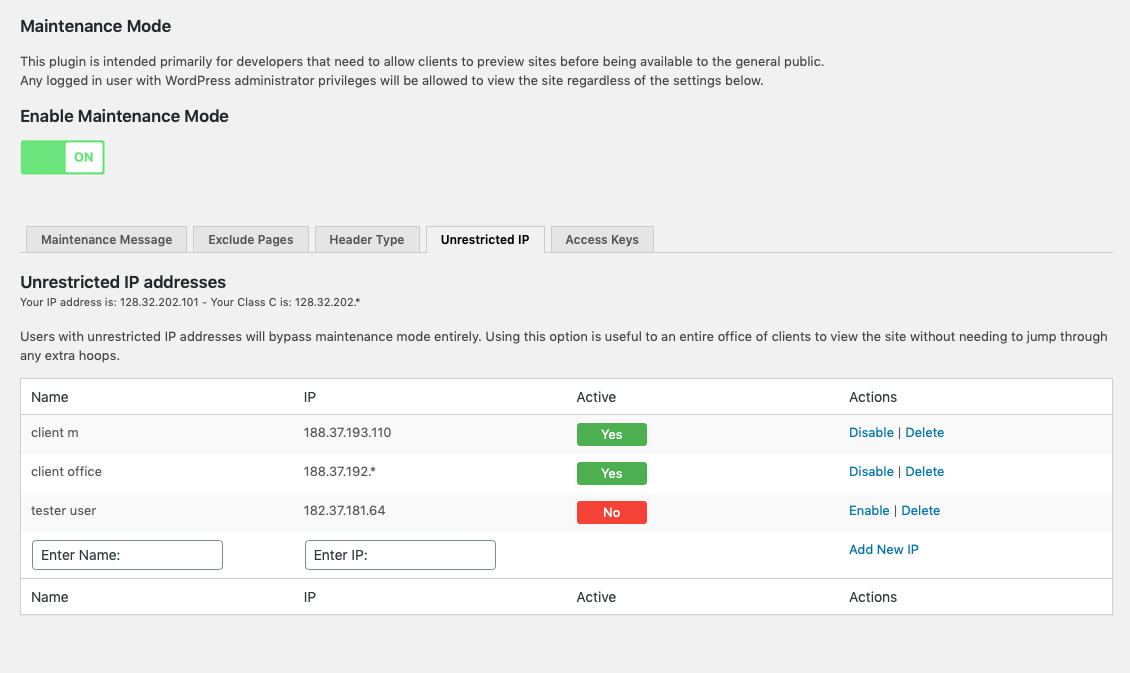
A list of IP addresses can be configured to bypass maintenance mode completely. This is useful for allowing an entire office or client team to access the site without managing individual access keys.
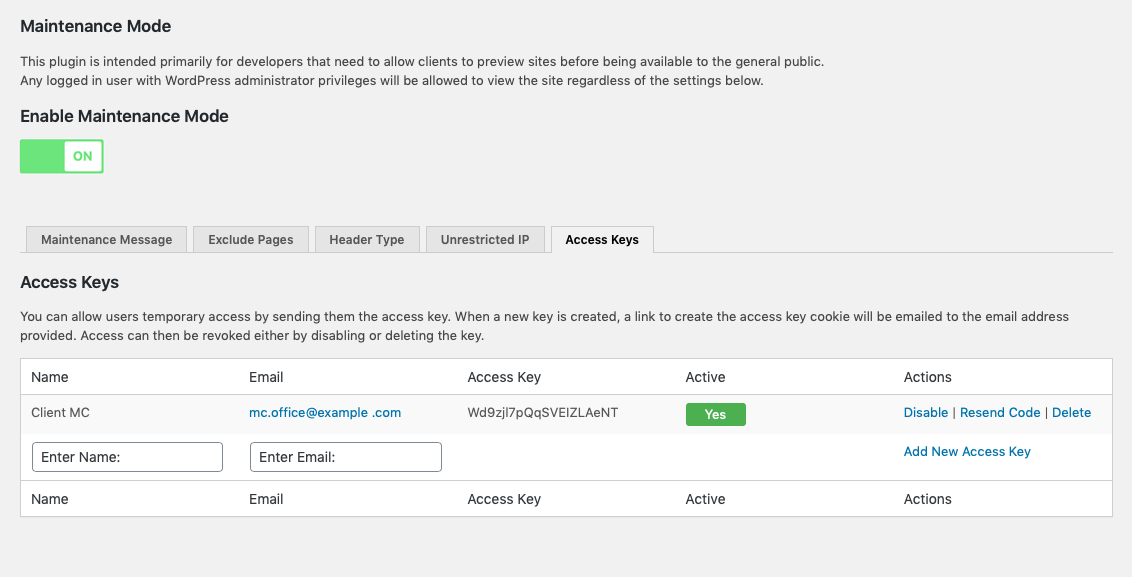
Access keys work by creating a key on the user’s computer that is checked while maintenance mode is active. When a new key is created, a link to store the access key cookie is sent to the email address provided. Access can then be revoked by disabling or deleting the key.
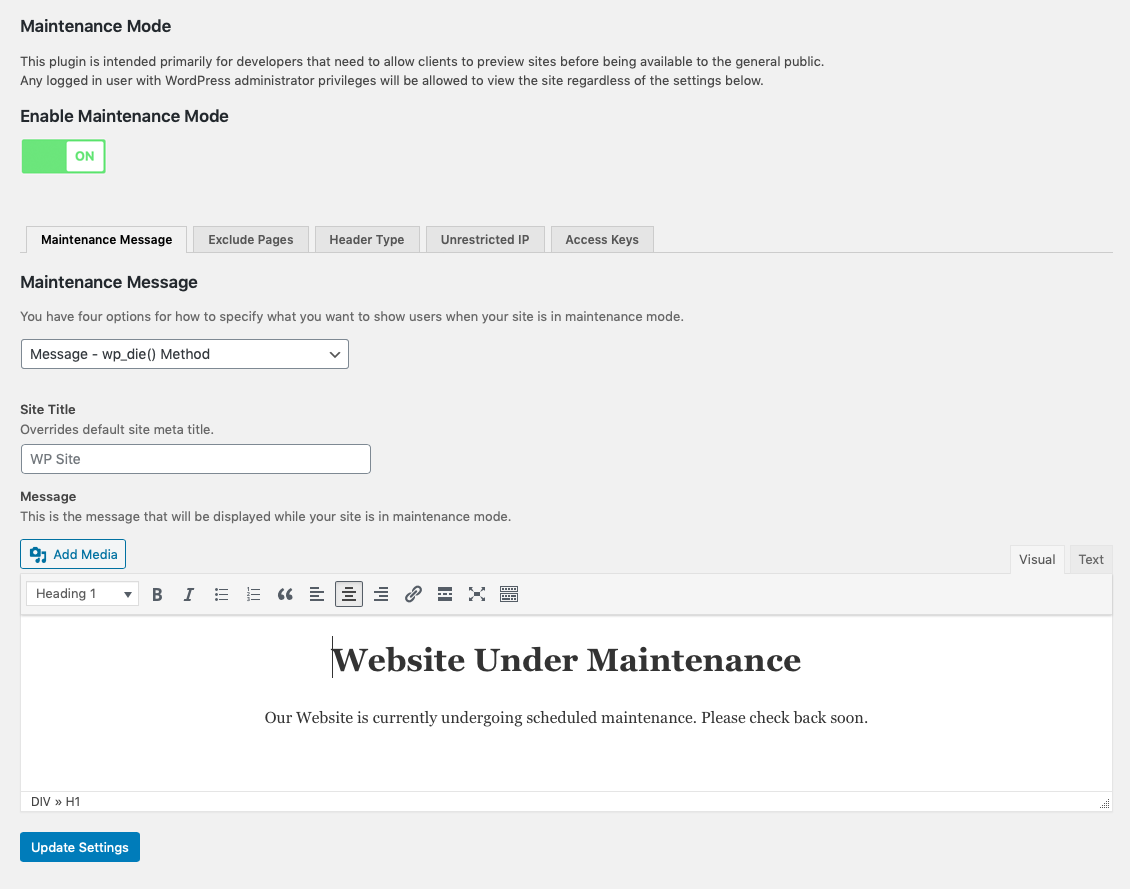
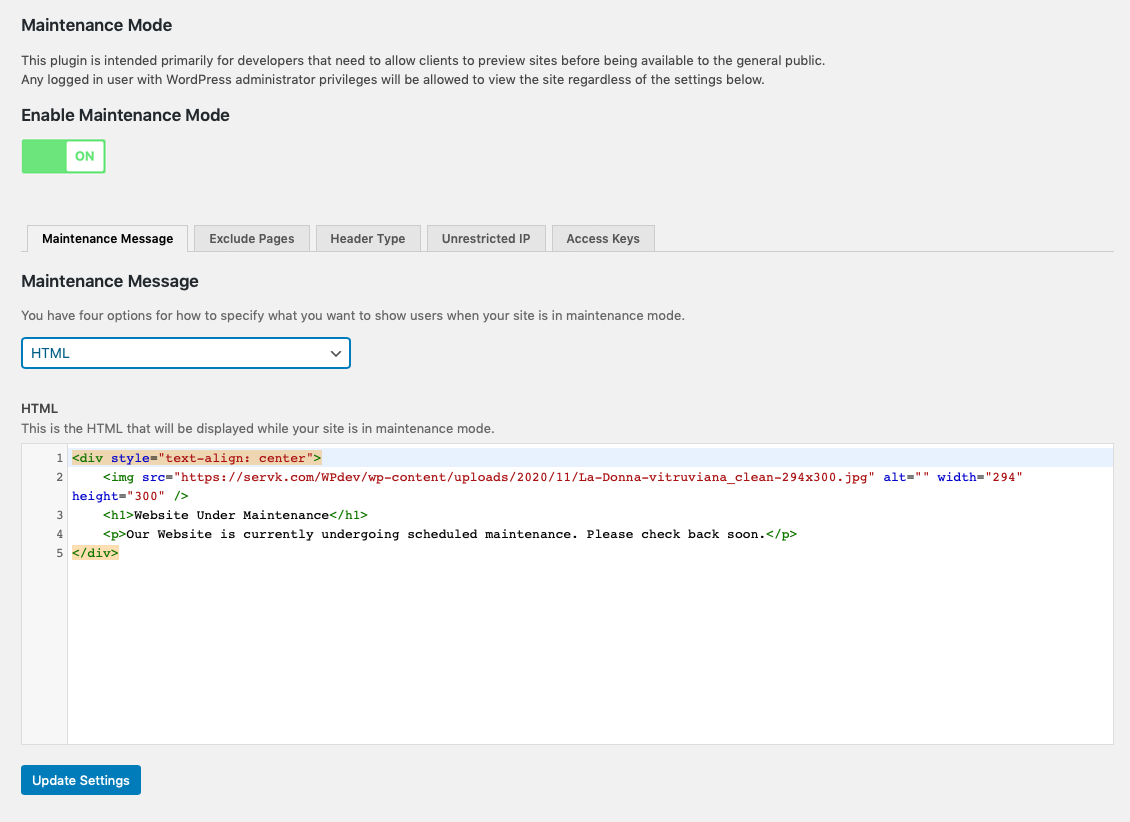
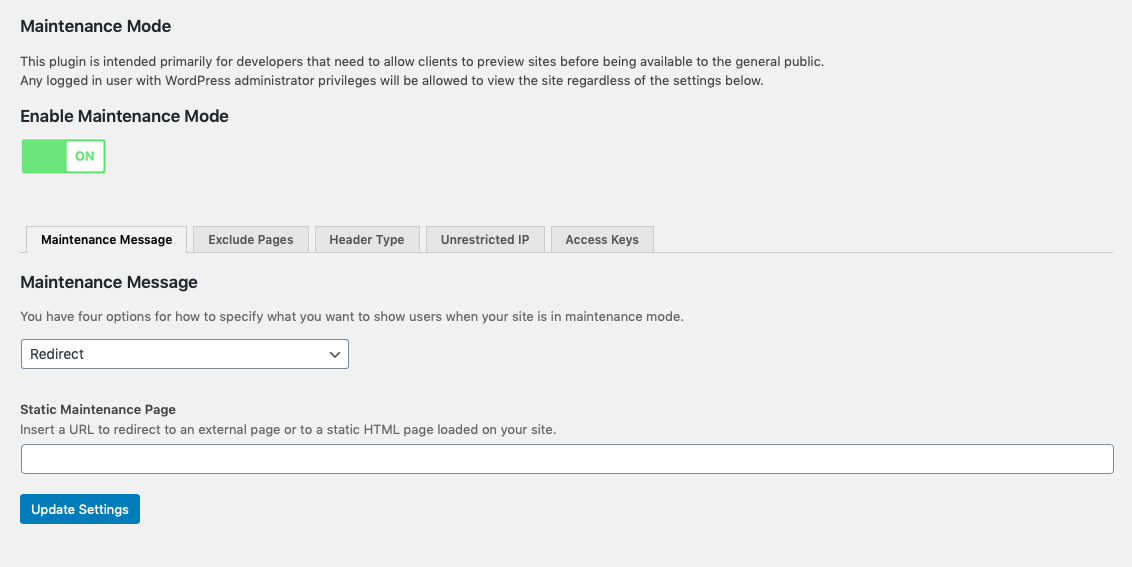
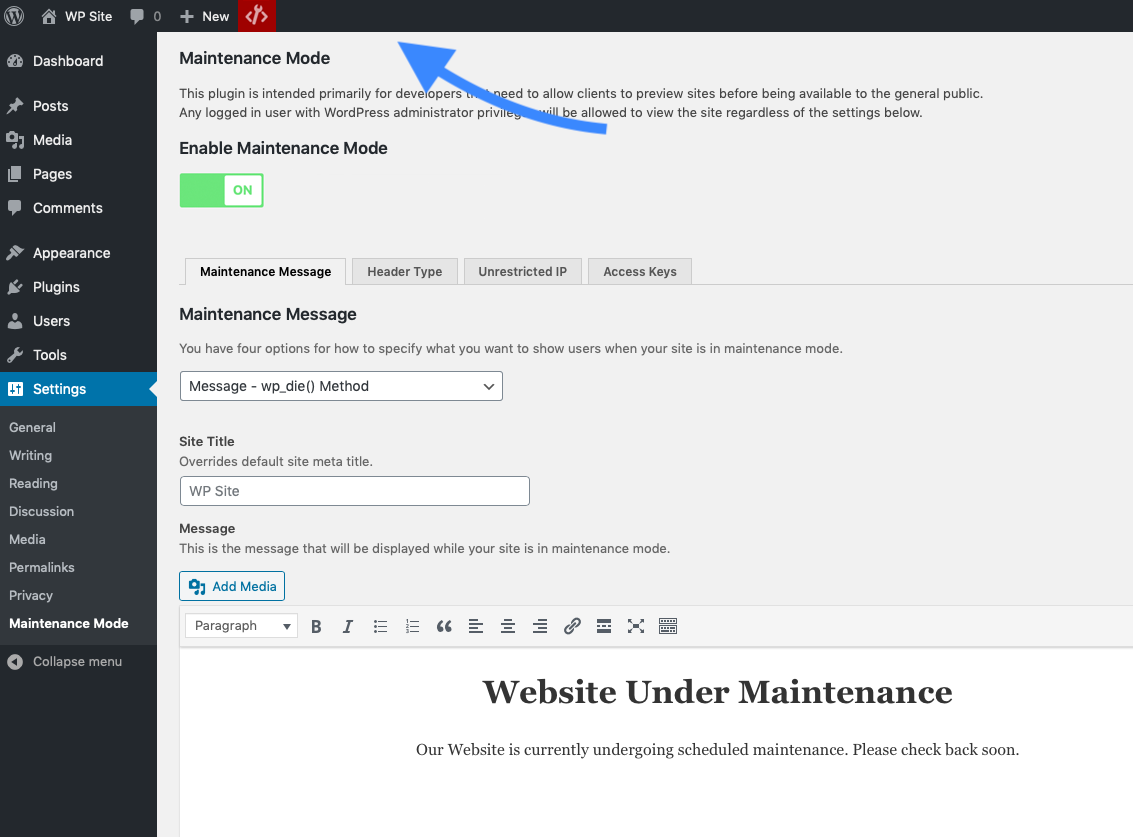
This plugin offers four ways to present the maintenance experience:
- A message rendered with WordPress’s wp_die() function, making the experience feel native to WordPress.
- A page styled with the active theme’s template.
- A custom HTML page.
- A redirect to a static page or external URL.
Gambar conto

Pemasangan
- Upload the
hkdev-maintenance-modefolder to your plugins directory (usually/wp-content/plugins/). - Activate the plugin through the
Pluginsmenu in WordPress. - Configure the settings through the
Maintenance ModeSettings panel.
FAQ
-
How can I bypass the redirect programatically?
-
There is a filter which allow you to programatically bypass the redirection block:
hkdev_matchesThis allows you to run pretty much any test you like, although be aware that the whole redirection thing runs before the
$postglobal is set up, so WordPress conditionals such asis_post()andis_tax()are not available.This example looks in the
$_SERVERglobal to see if any part of the URL contains “demo”function my_hkdev_matches( $hkdev_matches ) { if ( stristr( $_SERVER['REQUEST_URI'], 'demo' ) ) { $hkdev_matches[] = "<!-- Demo -->"; } return $hkdev_matches; } add_filter( "hkdev_matches", "my_hkdev_matches" );Props to @brianhenryie for this!
-
How can I let my logged-in user see the front end?
-
By default, Maintenance Mode uses the
manage_optionscap, but that is normally only applied to administrators. As it stands, a user with a lesser permissions level, such as editor, is able to view the admin side of the site, but not the front end. You can change this using this filter:hkdev_user_canThis filter is used to pass a different WordPress capability to check if the logged-in user has permission to view the site and thus bypass the redirection, such as
edit_posts. Note that this is run before$postis set up, so WordPress conditionals such asis_post()andis_tax()are not available. However, it’s not really meant for programatically determining whether a user should have access, but rather just changing the default capability to be tested, so you don’t really need to do anything other than the example below.function my_hkdev_user_can( $capability ) { return "edit_posts"; } add_filter( "hkdev_user_can", "my_hkdev_user_can" );
Mācā ulang


Contributors & Developers
“Maintenance Mode” is open source software. The following people have contributed to this plugin.
Kontributor


“Maintenance Mode” has been translated into 2 locales. Thank you to the translators for their contributions.
Translate “Maintenance Mode” into your language.
Interested in development?
Browse the code, check out the SVN repository, or subscribe to the development log by RSS.
Caathetan Owahan
3.2.1
- Bug fixes and code quality improvements
- Security and maintenance hardening updates
3.2.0
- Updated for WordPress 7.0.2 compatibility
- Improved security hardening
- Improved REST API handling during maintenance mode
- Compatibility improvements for admin notices and asset loading
- Added no-cache headers while maintenance mode is active to reduce caching conflicts
3.1.3
- Bug fix
3.1.2
- Bug fix
3.1.1
- Updated for WordPress 6.7
- Added functionality to disable the WordPress REST API while maintenance mode is active
- Security improvements
3.0.2
- Security improvements
3.0.1
- Code completely revised and modernized to increase possible risks and vulnerabilities
- Implementation of various performance and security improvements
2.6.0
- Bug fix – Bypass Vulnerability
2.5.0
- Bug fix – Updated for WordPress WordPress 6.4.1
- Minor improvements and fixes
2.4.5
- Bug fix – conflict with other plugins using Select2
2.4.4
- Minor fixes
2.4.1
- Updated for WordPress 6.2.2
- Added new attributes to the html editor
- Minor improvements and fixes
2.3.2
- Minor fixes
2.3.1
- Minor fixes
2.3.0
- Bug fix
- Minor fixes
2.2.6
- Updated translations
2.2.5
- Updated for WordPress 6.1.1
- Added functionality to resend an access key
- Added functionality to copy access keys.
- Added functionality to facilitate insertion of IPs
- Minor fixes
2.2.4
- Updated for WordPress 6.0
- Minor fixes
2.2.3
- Updated for WordPress 5.8
2.2.2
- Bug fix
2.2.1
- Minor fixes
2.2.0
- Added functionality to exclude pages from maintenance mode.
- Firefox fix
2.1.4
- Minor fixes
2.1.3
- Added toggle switch for activating Maintenance Mode
2.1.2
- Added new allowed html Tags
- Minor improvements
2.1.1
- Added new icon status on admin bar menu
- Improve the uninstall function
2.1
- New settings panel interface for better usability.
- Added status indicator on the admin bar menu.
- Plugins ready for translation.
- Added Portuguese translation (pt-PT)
- Security fixes.
2.0
- First release of the new adaptation of the plugins based on the version created by petervandoorn and modified by jfinch3.