

Katrangan
A flying club knows its aircraft by heart and writes almost nothing down: the hours are on a sheet pinned to the hangar wall, and the answer to “can I take F-GKLM on Saturday” is whoever picks up the telephone, until that person is on holiday.
Aero Hangar is the register that answers instead, written for the fleet manager who does the job in the evening, between two flights. The free plugin is the whole register, with no cap on aircraft, documents or readings.
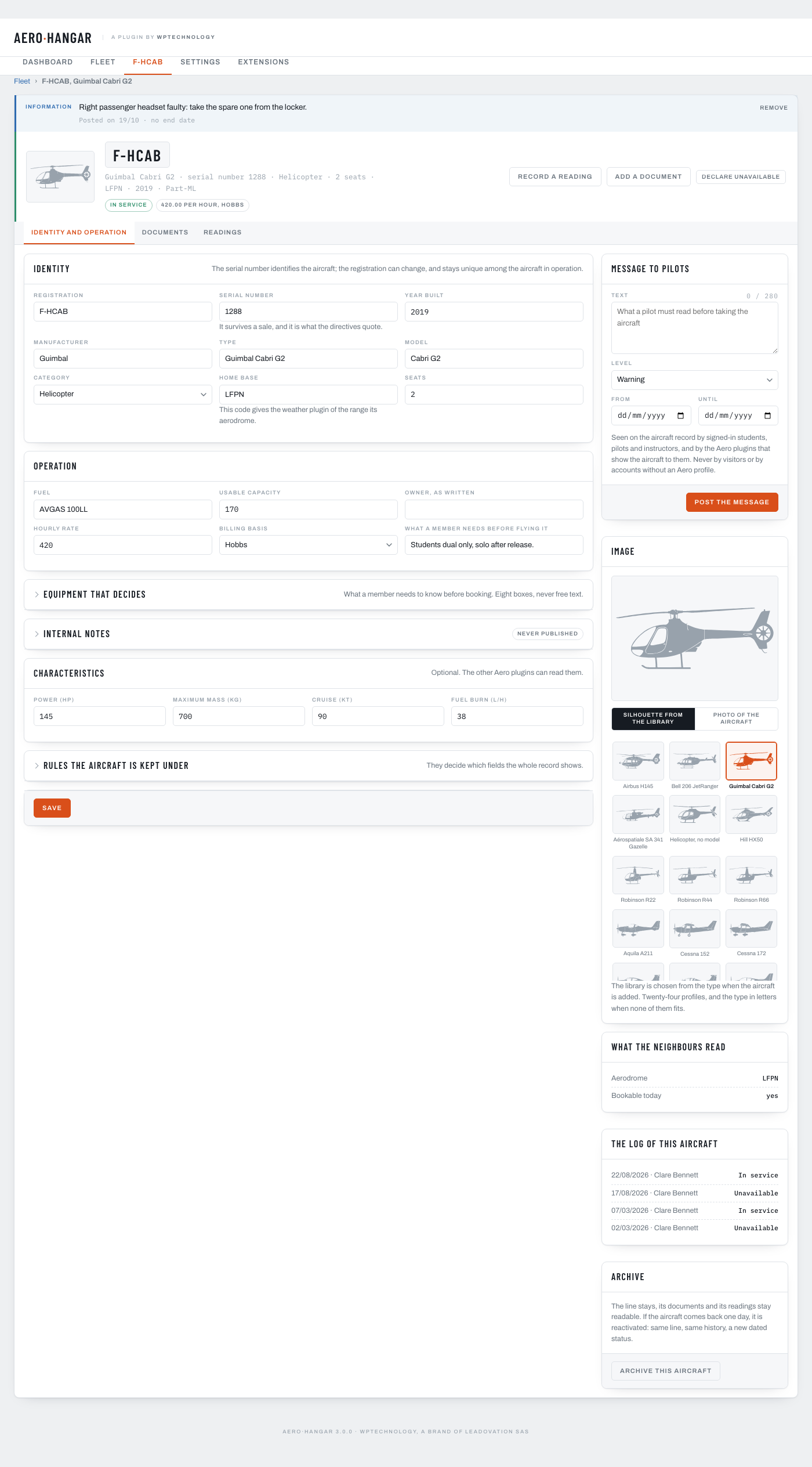
- Identity. Registration, serial number, type taken from an illustrated catalogue of 29 machines, and 24 silhouettes.
- A dated status journal. In service, unavailable, grounded, archived: each said by a person, on a date, with a reason, and the history stays readable.
- Counter readings that never add up wrongly. A reading carries what it counts and the instrument it is read on: two pairs are two series.
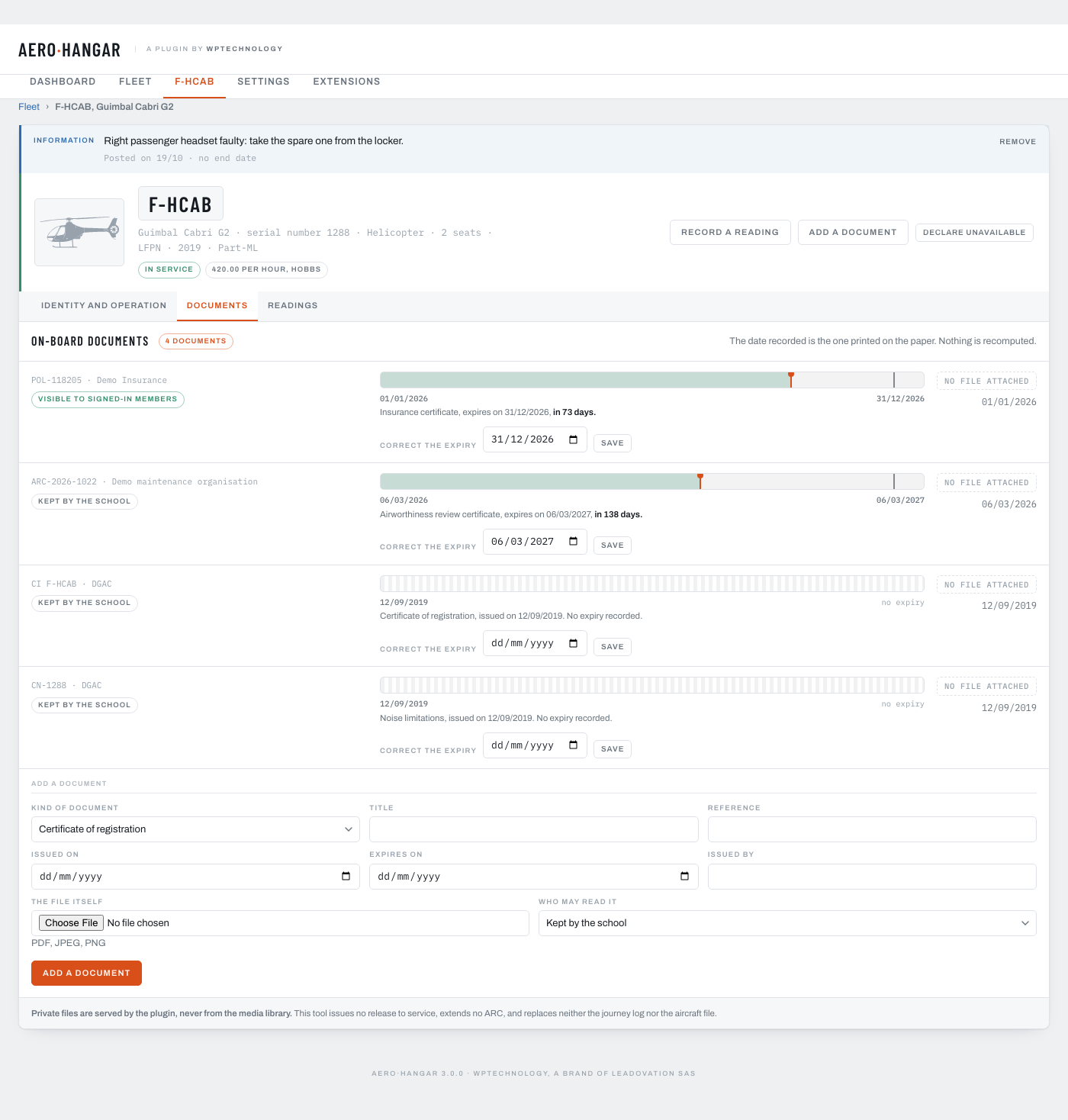
- On-board documents kept out of reach. Eleven kinds with their dates, stored outside the media library, served only to the accounts you allow.
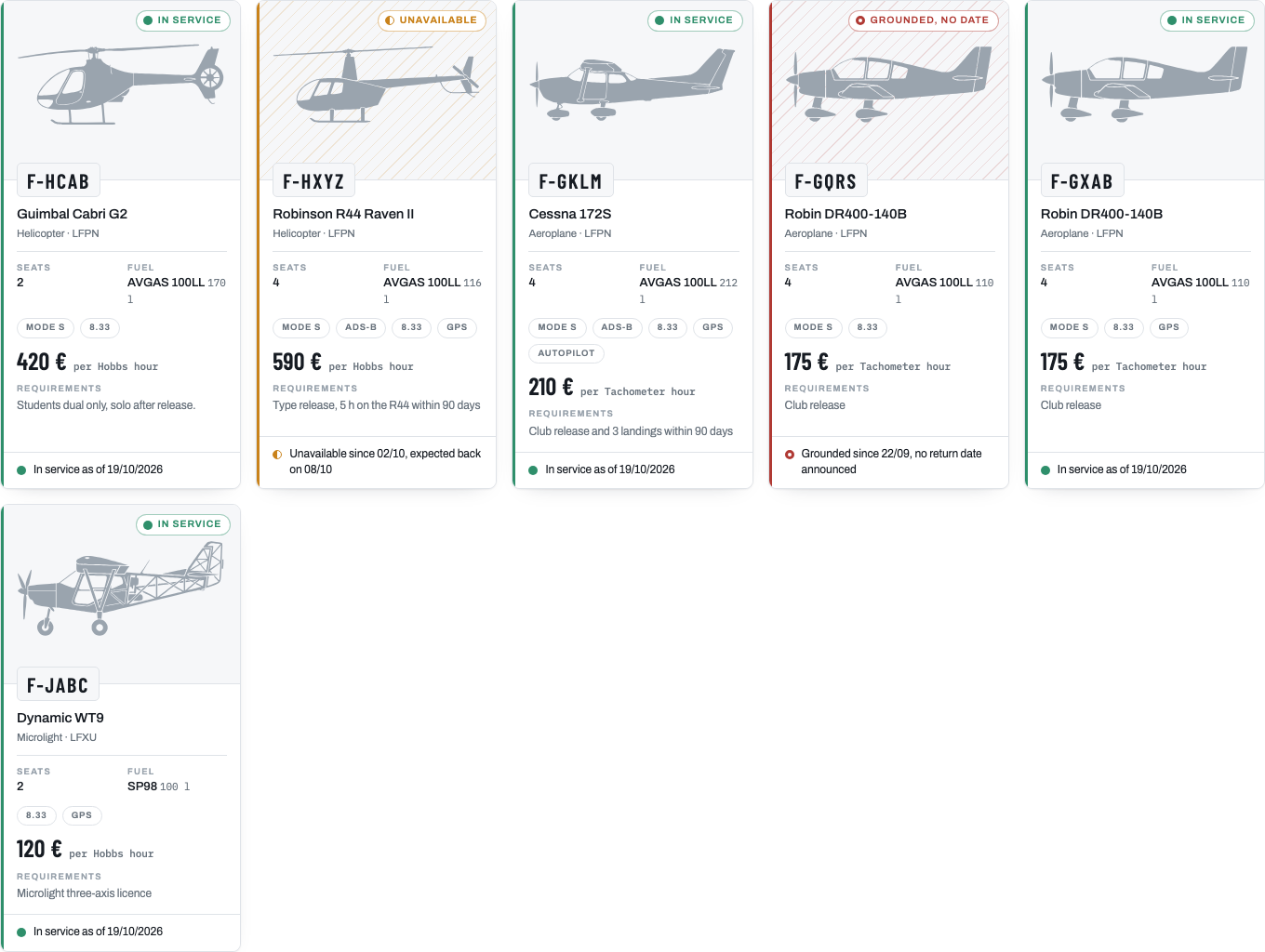
- The fleet on the club’s own site. One block and two shortcodes: the grid of the fleet, and the hourly rate inside a sentence.
- Plus the dashboard of the day, a sortable register, five shared permissions, and a facade for developers.
Aero Hangar Pro
Aero Hangar Pro is a separate download from the publisher, which replaces this plugin and keeps everything it recorded, for the club that keeps its maintenance schedule in a spreadsheet and would rather keep it here.
It adds expiry reminders by e-mail with a weekly summary, hour packs shown under the rate, the public page of one aircraft, printing of the dashboard, maintenance (due items, remaining potential, a planner, workshop return, unavailability announced ahead on the public card, maintenance programmes by type), ownership (shares, contracts, bases, rates), the import of flight logs and bookings, a report of availability and cost per hour, and defect reports sent by pilots from a QR code on board.
Nothing there is part of this plugin: what you install here is the whole register, and it stands on its own.
Part of the Aero range
Beside Aero Courses, Aerodrome METAR TAF and Aero Users: one job each, and they talk when installed together.
What this plugin does not claim
It issues no release to service and extends no airworthiness review certificate. An aircraft shown here as in service means one person said so on one date; judging airworthiness belongs to those entitled to judge it.
Third-party services
The plugin contacts one external address, only when an administrator asks for it, and it concerns the club’s data in no way. The dashboard shows the other plugins of the Aero range from a list shipped with the plugin. The “Update the list” button reads the current list from wptechnology.com, the publisher’s own site; an administrator can also tick “Keep the list up to date automatically”, and the list is then read again every 7 days. Nothing is read before that button or that box. It is a plain GET on a public address that sends nothing about the club; like every request WordPress makes, it carries WordPress’s standard header with the site’s address. If the site does not answer, the list stays as it was. Whether a plugin is installed here is read locally and never sent. Legal notice · privacy.
Nothing else about your club, your aircraft or your documents leaves the site: no tracking, no usage reporting, no remote asset, no call to any other address of ours or of anybody else’s.
Aero Hangar Pro, the separate extension described above, is sold by the publisher through Freemius. This package makes no call to it and carries none of its code.
Its three type families, Archivo, Barlow Condensed and IBM Plex Mono, travel with the plugin as WOFF2 files and are served from the site itself, never from a font network. All three are published under the SIL Open Font License 1.1, which is compatible with the GPL. Their licence and attribution are in assets/fonts/LICENSE.txt.
The 24 aircraft silhouettes in assets/silhouettes/ were drawn for WPTechnology (Leadovation SAS) and are published under the same GPL-2.0-or-later licence as the plugin.
Gambar conto
Blocks
This plugin provides 1 block.
- Our aircraft The fleet of the school, each aircraft with its state of the day and the date of its last change.
Pemasangan
- In your WordPress admin, go to Plugins Add New and search for Aero Hangar, then click “Install Now” and activate. (Or upload the zip from Plugins Add New Upload Plugin.)
- Open the Aero Hangar menu and add your first aircraft. Pick your machine in the illustrated catalogue and type the registration: the manufacturer, the model, the category, the seats and the fuel come with it.
- Record the documents that carry a date, starting with the insurance certificate and the airworthiness review certificate.
- Put the fleet on a page: the
[aero_hangar]shortcode or the “Our aircraft” block.
FAQ
-
Does it replace the journey log or the aircraft file?
-
No, and it never will. The journey log is filled in by the crew and travels with the aircraft; the aircraft file belongs to the maintenance organisation. This plugin records what the club decided about a machine, who decided it and when.
-
Who can see the documents?
-
Only accounts that hold the permission to keep the on-board documents, unless you say otherwise document by document. Each one carries a visibility: kept by the school, visible to signed-in members, or visible to everyone. Files are never put in the media library, and a request refused is written to a log you can read.
-
An aircraft is back from the workshop. What do I do?
-
Open its line and declare it back in service, on the date it actually came back. The unavailability that was open is closed on that date, and the history keeps both.
-
What happens to an aircraft the club sells?
-
You archive it. Its line stays, its documents and its readings stay readable, and it leaves the public grid. If it comes back one day, you reactivate it rather than creating a second line: the serial number is what says it is the same aircraft.
-
What exactly does the free plugin hold?
-
The whole register: identity and silhouettes, the dated status journal, counter readings, eleven kinds of on-board document with their dates and their files, the dashboard of the day, the fleet screen with its filters, one block and two shortcodes, the five permissions shared with the range, and the
Aero\Hangar\Apifacade. There is no cap on aircraft, documents or readings. -
How are counter readings organised?
-
A reading is identified by what it counts and the instrument it is read on: airframe hours on the Hobbs, on the tachometer, on the journey log. Two different pairs are two different series, and the pair of the last reading is the one offered again, so two instruments are never added up together by mistake.
-
What language is the plugin in?
-
English.
-
Do I need the other plugins of the range?
-
No. Aero Hangar works on its own and carries its own copy of the shared core. When Aero Users is installed beside it, the two share their roles rather than each keeping a list of its own.
-
Where do the aircraft drawings come from?
-
They are 24 simplified profiles shipped with the plugin, under the same licence as the plugin itself. They are identification silhouettes and reproduce no technical drawing and no trade mark. The one that matches the type is set when the aircraft is added; you change it on the Identity tab, and a photograph of your own machine takes precedence over it on every screen.
-
Does it send anything to an external service?
-
Your aircraft, your documents and your readings never leave your site. The only outside call is the list of the other plugins of the range, read from the publisher’s own site when an administrator clicks “Update the list”, or every 7 days once they have ticked “Keep the list up to date automatically”, and it carries nothing about you.
Mācā ulang
There are no reviews for this plugin.
Contributors & Developers
“Leadovation Aero Hangar” is open source software. The following people have contributed to this plugin.
Kontributor
Translate “Leadovation Aero Hangar” into your language.
Interested in development?
Browse the code, check out the SVN repository, or subscribe to the development log by RSS.
Caathetan Owahan
3.0.0
- Expiry reminders and the weekly summary, hour packs, the public page of one aircraft and printing of the dashboard move to Aero Hangar Pro. Hour packs already recorded stay in the database, and the reminder settings are kept.
- The developer façade, now in 3.0, returns the aircraft as the register holds it, and the
aero_hangar_aircraftfilter lets another plugin complete it.
2.2.2
- The card of the Aero range shows the list shipped with the plugin and contacts wptechnology.com only when an administrator clicks “Update the list”, or every 7 days once they have ticked “Keep the list up to date automatically”.
- The documents table is created on every database, SQLite included.
- The admin stylesheet only reaches the plugin’s own screens.
2.2.1
- The daily tasks are scheduled once WordPress has finished loading, so activating the plugin next to other plugins, such as WooCommerce, shows no notice.
2.2.0
- The public card shows the status and its dates without the reason typed by the school: that reason stays inside the school, and the unavailability dialog says so.
- The developer façade, now in 2.2, gives the other plugins of the range the drawing of an aircraft, its status of the day and a link to its record.
2.1.0
- An hour pack can say that its rate includes the instructor: a “With instructor” box on each pack of the aircraft screen, “with instructor” after the pack on the public card, and a
with_instructorkey for each pack in the developer façade, now in 2.1.
2.0.9
- The notice shown when the data could not be moved to its new table names now appears only on the plugin’s own screens and on the Plugins screen.
2.0.8
- Maintenance release, with no change in what this plugin does.
2.0.7
- The developer façade keeps only what this plugin answers: three questions no plugin replied to are gone, and its version moves to 2.0.
- The Aero range card offers to install Aerodrome METAR TAF from WordPress.org.
2.0.6
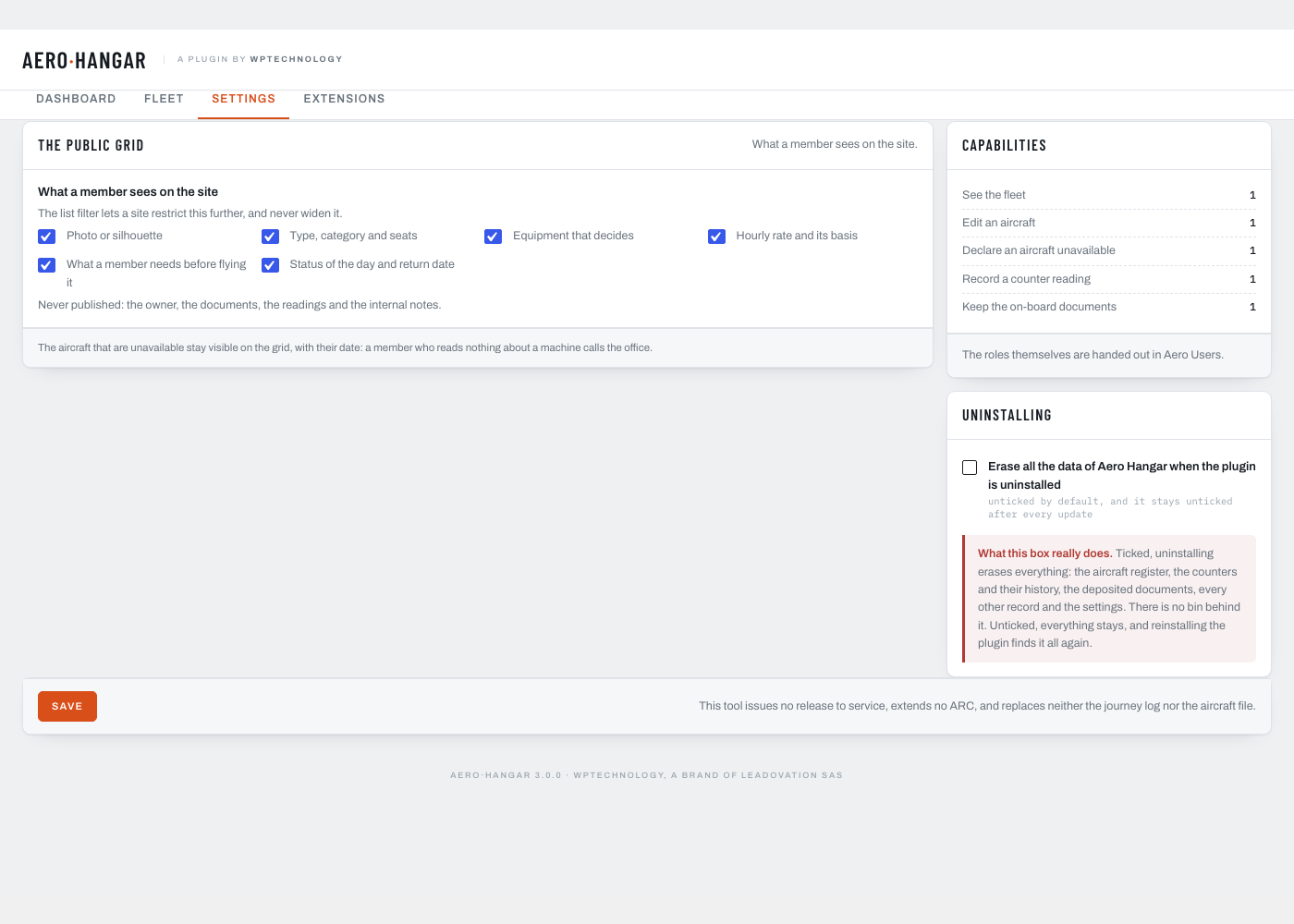
- Uninstalling keeps every piece of data by default. One box in the settings, unticked unless you tick it, erases everything when the plugin is uninstalled: the register, the documents, the other records and the settings.
2.0.5
- Maintenance release, with no change in what this plugin does.
2.0.4
- Settings: the recipients card says where the list is changed, the right to keep the on-board documents in Aero Users, with a link to that screen.
2.0.3
- Maintenance release, with no change in what this plugin does.
2.0.2
- In the Aero range card of the dashboard, Aerodrome METAR TAF now reads like the other names of the range.
2.0.1
- The uninstall clean-up lives in a single class, called by
uninstall.php: it removes the same tables and settings as before, and keeps the deposited files unless the settings ask otherwise.
2.0.0
- A message to the pilots on each aircraft, information or warning, with an optional start and end date. It shows at the top of the aircraft record and on the public page of the aircraft, to signed-in pilots, students and instructors only.
- Four characteristics on the aircraft record and its public page: power, maximum take-off mass, cruise speed and fuel burn, and an external reference for the software the club already uses.
- The PHP façade moves to 1.3: other plugins can now write aircraft, counter readings, statuses and messages, each write going to the journal with its source.
1.6.0
- Internal names follow the plugin’s name: tables, options, actions, filters, the permission to view the register and the
Aero\Hangar\Apifaçade. A site that had an earlier version keeps every aircraft, document, reading and setting: they are moved over once, on the first page load after the update, and the plugin waits until that move has succeeded.
1.5.0
- Nine actions and filters let another plugin add a tab, a line or a column to the register, and a daily pass keeps the status column in tune with the journal.
- That pass is the register’s own, always scheduled and sending nothing. It puts the status of an aircraft back in tune with its journal: an unavailability recorded on Monday for Wednesday, or closed on the 7th, is read right on the morning it changes, whether or not anybody opens a screen.
- The five permissions of the plugin are declared through a filter, so the whole range reads one list and one set of labels.
- The PHP façade moves to 1.2: it answers the hours flown between two dates from the readings this plugin keeps, and opens three questions to the neighbouring plugins of the range.
1.4.2
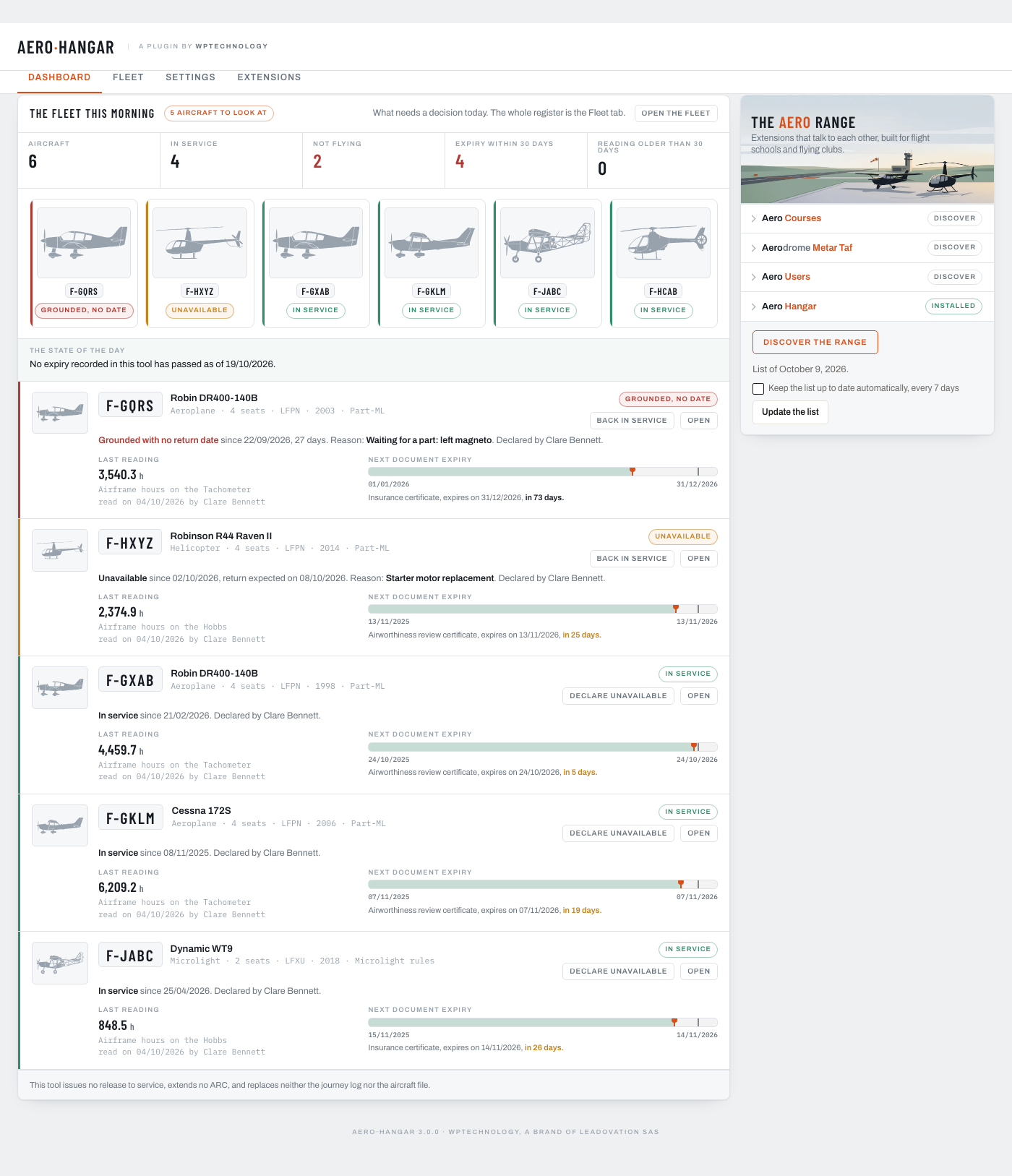
- The dashboard shows the whole fleet as tiles under the figures, green or red at a glance; the detailed lines below keep to the aircraft that need a decision.
1.4.1
- A counter reading asks for a decision on the dashboard once it is older than thirty days.
1.4.0
- Hour packs: a machine can carry several hourly rates by block of hours, shown on the public card and available to the [aero_hangar_rate] shortcode.
- The dashboard shows what needs a decision today; the Fleet tab is the full register, sortable and filterable.
1.3.0
- Renamed Leadovation Aero Hangar; the on-screen name is Aero Hangar. Shortcodes and blocks follow: [aero_hangar], [aero_hangar_aircraft], [aero_hangar_rate].
1.2.0
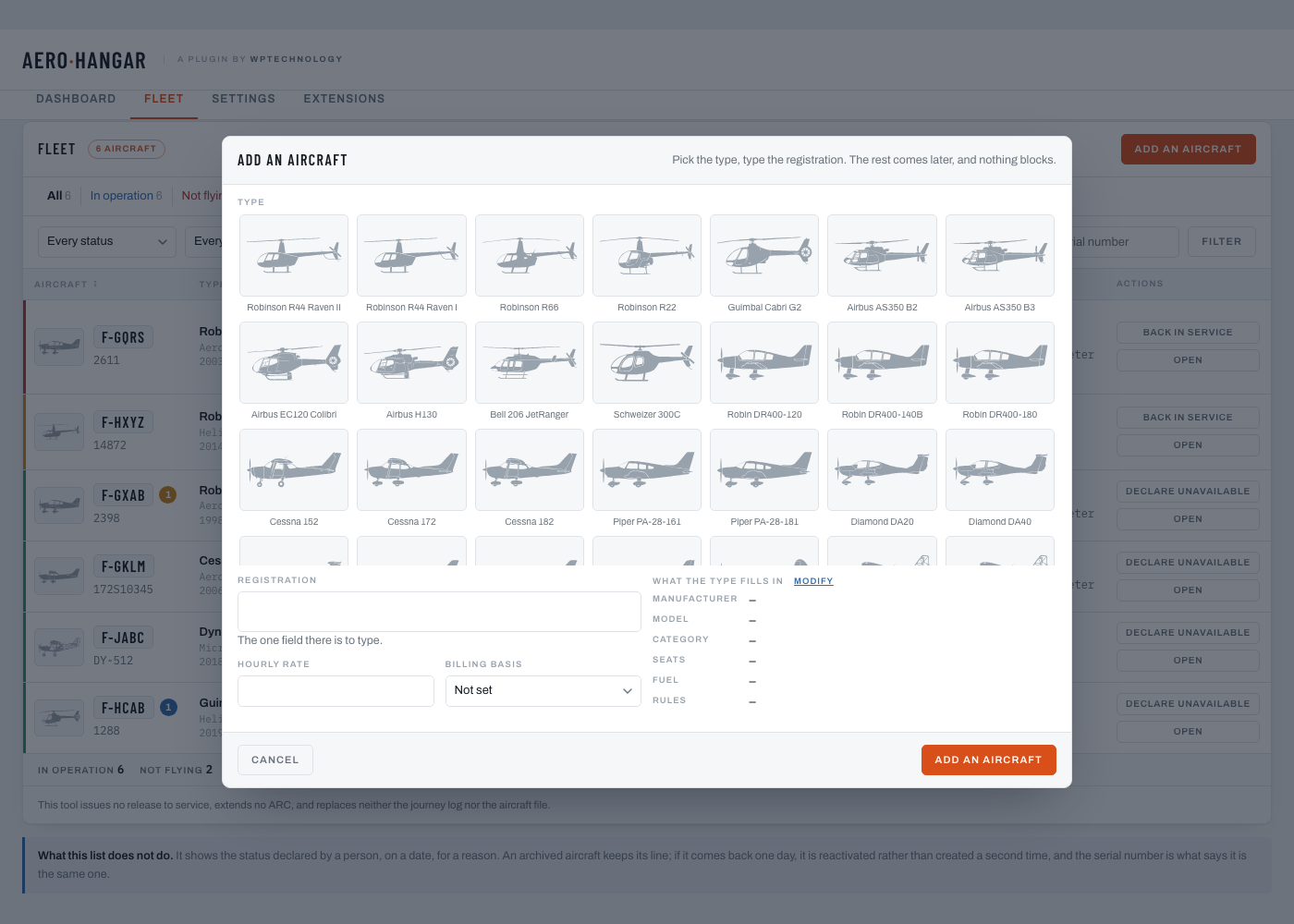
- A starting screen when no aircraft is recorded yet: three steps on one side, the illustrated type catalogue on the other, and one click on a silhouette opens the add window with that type already picked.
- The add window opens on the catalogue: 29 common types, each with its silhouette, what the type fills in shown beside the registration, and a free text field for anything else.
- The dashboard shows its rows from the first aircraft on, with the thumbnail, the state and the buttons lined up on the right under the status pill. The card layout is now the one of a narrow screen, and only that.
- Text fields, drop-downs and text areas share one height, one border and one radius across the admin screens.
1.1.1
- The Aero Core base moves to 1.5.1: the weather plugin of the range is listed under its new name, Aerodrome METAR TAF.
1.1.0
- A library of 24 aircraft silhouettes, chosen automatically from the type and changeable on the aircraft file; a photo from the media library still takes precedence.
1.0.0
- First release: the aircraft register of a flight school.
- The identity of a machine, with a catalogue of eleven common types that fills in the model, the category and the seats.
- A dated status journal: in service, unavailable, grounded with no return date, archived, each one said by a person on a date and for a reason.
- Counter readings identified by what they count and the instrument they are read on.
- On-board documents with their expiry dates, kept in a closed folder outside the media library, served only to an account that holds the right, with a log of refused requests.
- Reminders by e-mail, thresholds set per kind of document, a weekly summary, off until the school switches them on.
- A dashboard sorted by urgency, and a fleet screen with views by state.
- Two blocks and three shortcodes for the club’s own site, in light and dark.
- A PHP façade, four actions and five filters for the other plugins of the range.