
Katrangan
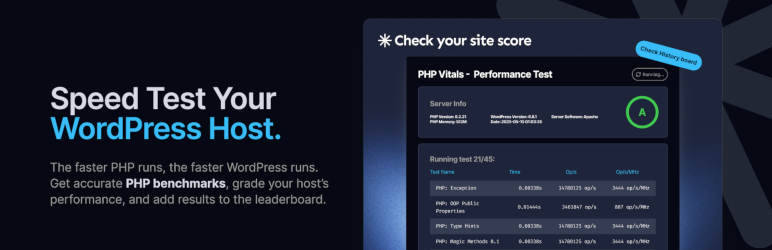
How fast is your web host? Dozens of PHP speed tests, 1 overall grade: The easy way to compare hosting performance.
Bringing Transparency to Your Web Host’s PHP Performance
The faster your websites run, the better. Better SEO, better UX, better returns on your effort. But in any PHP-based system (including WordPress, Drupal, Joomla, Magento, and many others) there’s an important performance factor that’s hard for you to see and mostly beyond your control. It’s your web hosting. How fast does PHP run on the infrastructure that your web host provides?
PHP Vitals gives you a simple way to find out.
A Free, Quick and Easy Speed Test
In a minute or two, PHP Vitals analyses exactly how well your server performs on dozens of different tests of PHP performance. When you run PHP Vitals you’ll see an overall grade, and you can see where your web host belongs on the PHP Vitals leaderboard.
You can’t see your server hardware. You don’t know how many others are sharing your resources. You don’t know if your hosting is rate-limited, over-provisioned, or dependent on ancient CPUs. PHP Vitals lifts the lid on what you’re really getting for your money.
What Gets Tested
PHP Vitals focuses on base PHP functions. Base categories are:
– php_features
– math
– string
– array
– crypto
– file
– serialization
Specific operations that are tested include:
– PHP Class (getter/setter).
– Public properties and methods.
– Simple math operations.
– Complex math operations.
– String concatenations.
– Regular expressions (regex).
– Functions: explode, strpos.
– Operations: Array sorting, set, unset, copy, and others.
– Password hashing.
– MD5 hashing.
– SHA256 hashing.
There are no MySQL or database benchmarks included.
Features
PHP Vitals suite of PHP performance benchmarking tests usually takes only 1-2 minutes to run. The tests give you live performance data.
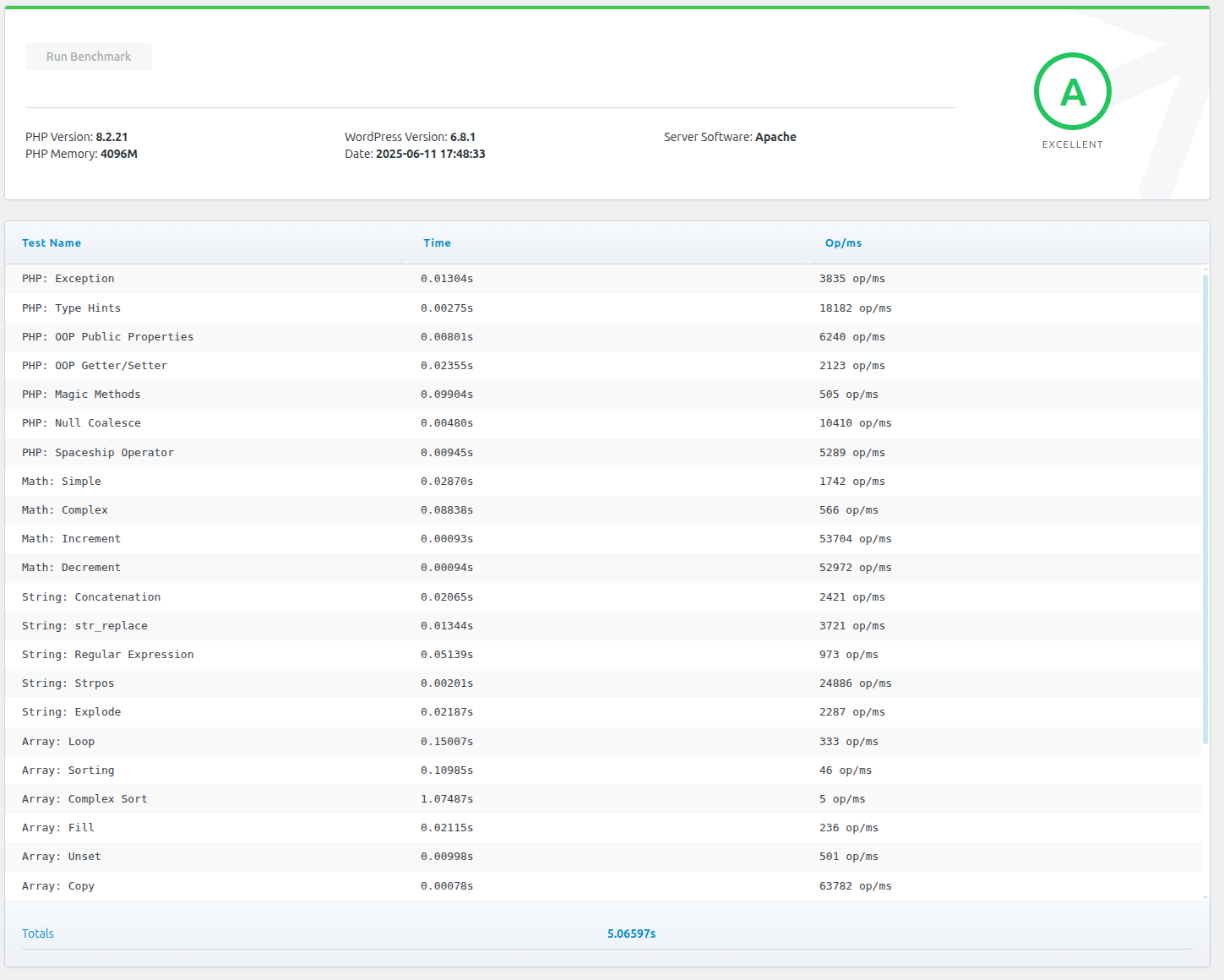
Each time you run PHP Vitals you’ll see a breakdown of individual test data and an overall grade (A+ to F). A visual grade scale shows where you sit on the scale, with a plain-language comparison such as “faster than X% of servers.” Test data is objective, for example the time taken for each test. Grades are based on the overall time taken. The subjective grading scale is likely to change over time (e.g. an A in 2025 is unlikely to still be an A in 2027).
Benchmark test names, categories, and iteration counts are fetched from phpvitals.com when you run a test; all test code executes locally on your server.
Every completed run is saved to a local benchmark history on your site (last 15 runs), whether or not you share results. Leaderboard sharing is optional: if enabled, completed benchmarks may also be submitted to phpvitals.com so developers can compare hosting performance worldwide. No personal data is collected.
After each run, you can copy a detailed php.ini optimization prompt (benchmark results, PHP configuration, and slowest tests) and open ChatGPT, Claude, Perplexity, or Gemini in a new tab. Nothing is sent to any AI service automatically—you paste and send only what you choose.
Optional hosting type and monthly cost settings help group your results with comparable servers on the leaderboard.
PHP Vitals data is presented through a responsive admin interface under Tools PHP Vitals.
Usage on WordPress
PHP Vitals is very straightforward. Install the plugin, open Tools PHP Vitals in your WordPress admin dashboard, and click “Run Benchmark”.
External services
This plugin connects to PHP Vitals for:
- Benchmark test metadata (names, categories, iteration counts) from
/api/tests— test code runs locally in the plugin - Grade thresholds from
/api/grades - Hosting type/cost labels from
/api/options - AI advisor prompt template from
/api/advisor-prompt(fallback bundled in the plugin if unreachable) - Optional leaderboard submission to
/api/benchmarkwhen sharing is enabled
When leaderboard sharing is enabled, each completed benchmark may submit:
- Overall run time and grade
- PHP and WordPress versions
- Server software and PHP memory limit
- Hosting type and monthly cost (if configured)
- Per-test timing output from the run
No personal account data or site content is collected.
This service is provided by PHP Vitals: Privacy Policy, Terms of Use
Gambar conto
Pemasangan
Install from WordPress Plugins page. Alternatively, download the .zip file from phpvitals.com and install it manually through the Plugins option in your WordPress dashboard.
FAQ
Q: Is PHP Vitals a free plugin?
A: Yes, it’s 100% free.
Q: Does PHP Vitals collect or report any of my personal data or website data?
A: No personal data or information about your website content is collected or shared by default. Benchmark history is stored locally on your site. If you enable leaderboard sharing, summary benchmark data is sent to phpvitals.com as described under External services.
Q: Does PHP Vitals send my benchmark data to an AI service?
A: No. After a run, the plugin can copy an optimization prompt to your clipboard and open ChatGPT, Claude, Perplexity, or Gemini in a new tab. You choose whether to paste and send it. Nothing is sent to phpvitals.com or any AI provider unless you do that yourself.
Q: Why does PHP performance matter for WordPress?
A: WordPress is a PHP-based CMS, so WordPress performance (e.g. how fast your website loads for visitors) depends on PHP performance (i.e. how fast your hosting provider or your server runs PHP).
Q: Who created PHP Vitals?
A: We’re Webslice, a hosting company that loves LAMP stack and PHP development. We also love a fair fight, so we wanted a way to compare hosting providers (including ourselves) based on raw performance rather than who’s got the biggest advertising budget or the cosiest industry relationships.
We have a couple of sister companies with the same owners and team—SiteHost and MyHost.
Mācā ulang

Contributors & Developers
“PHP Vitals” is open source software. The following people have contributed to this plugin.
Kontributor
“PHP Vitals” has been translated into 1 locale. Thank you to the translators for their contributions.
Translate “PHP Vitals” into your language.
Interested in development?
Browse the code, check out the SVN repository, or subscribe to the development log by RSS.
Caathetan Owahan
1.6.3
- AI advisor fallback prompt aligned with phpvitals.com
1.6.2
- Updated AI advisor prompt from phpvitals.com
1.6.1
- UI fixes
- Tested up to WordPress 7.1
- Update readme
- Bundled Spanish (es_ES) translations
1.6.0
- Fix Save settings being clipped on short screens
- Keep the View leaderboard button inside its card
- Local benchmarks with remote tests/grades; optional leaderboard sharing
- AJAX hardening, history, translations
- Admin UI: grade scale, logo, viewport-fit tables, faster/slower compare
- AI assistant panel: copy a php.ini optimization prompt and open ChatGPT, Claude, Perplexity, or Gemini
1.2.1
- Adjust styles
1.2.0
- Move to Tools menu
- Adjust hashing and crypt tests
- Add hosting information
- Dynamically assigned grades
1.1.0
- Update Class and Function names
- Update readme
1.0.2
- Adjust the benchmark tests
- Fix the style in dashboard
1.0.1
- External services documented
- Links to Terms of Use and Privacy Policy
1.0.0
- Description and FAQ updated
0.9.8
- Minor fix to data sent to leaderboard
0.9.7
- Minor fix to database queries
0.9.6
- Initial relase