

Katrangan
RootsPersona turns the GEDCOM file of your genealogy program into a family history website. Every person gets a real WordPress page with their name in the title — found by Google, linked from your posts, open for comments, editable in your page builder. When the tree changes, upload the new file: pages, addresses and photos stay with their people.
Everything is free. No account, no external service, your data stays on your site.
From your genealogy program
- GEDCOM 5.5, 5.5.1 and 7.0 / 7.1 from any program, also as a GEDZIP archive (.gdz) or a .zip with the photos.
- Any encoding: UTF-8, UTF-16, ANSEL, Windows code pages (Cyrillic “ANSI” files are recognised).
- Tags of common programs: married names (_MARN, _MARNM), adoption (_FREL, _MREL), other names (_AKA), the main photo (_PRIM), the person codes (_UID, FamilySearch ids).
- Large trees are imported in small steps with a progress bar, so the host’s time limit does not stop them. A report after the import tells what was loaded.
- Re-importing updates the tree. People renumbered by your program are recognised by their code, by name and birth year or by their relatives. If the file looks like another tree, the import stops before anything is changed.
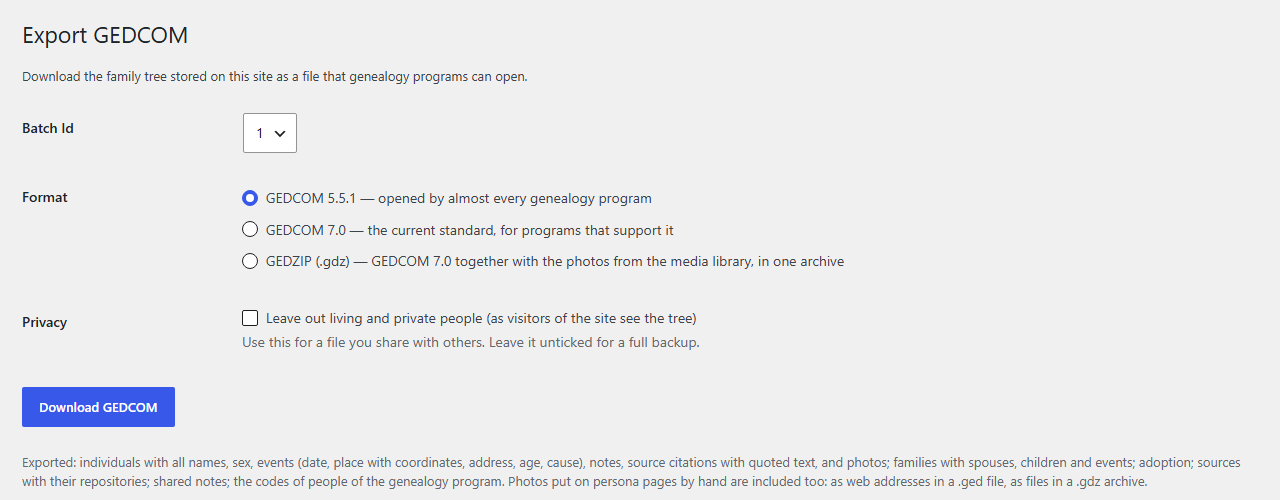
- Export back to GEDCOM 5.5.1, GEDCOM 7.0 or GEDZIP with the photos: a backup, or a copy for relatives and other programs, with or without living people.
The persona page
- Names (birth, married, also known as, nickname), events and facts with dates, places, addresses, age and cause, notes, sources with the cited page and quoted text.
- Parents, spouses, children, divorce, adoption and fostering, and a three-generation tree.
- Dates in the site language: “15 March 1822”, “about 1890”, “between 1852 and 1854”. Julian (Old Style) dates show the New Style too: “15 (27) March 1822”.
- Any number of photos: the portrait and a gallery with a lightbox. The photos your program links to people go onto their pages by themselves (see the FAQ).
- A map of the places of the person’s life (OpenStreetMap), when the GEDCOM file has coordinates.
- Three layouts — Classic, Archive card and Chronicle — with colour sets and a live preview. A page can be printed in parts, so your own text, memoirs or audio can sit between them, in the block editor or in Elementor.
- schema.org markup (Person) for search engines.
For visitors
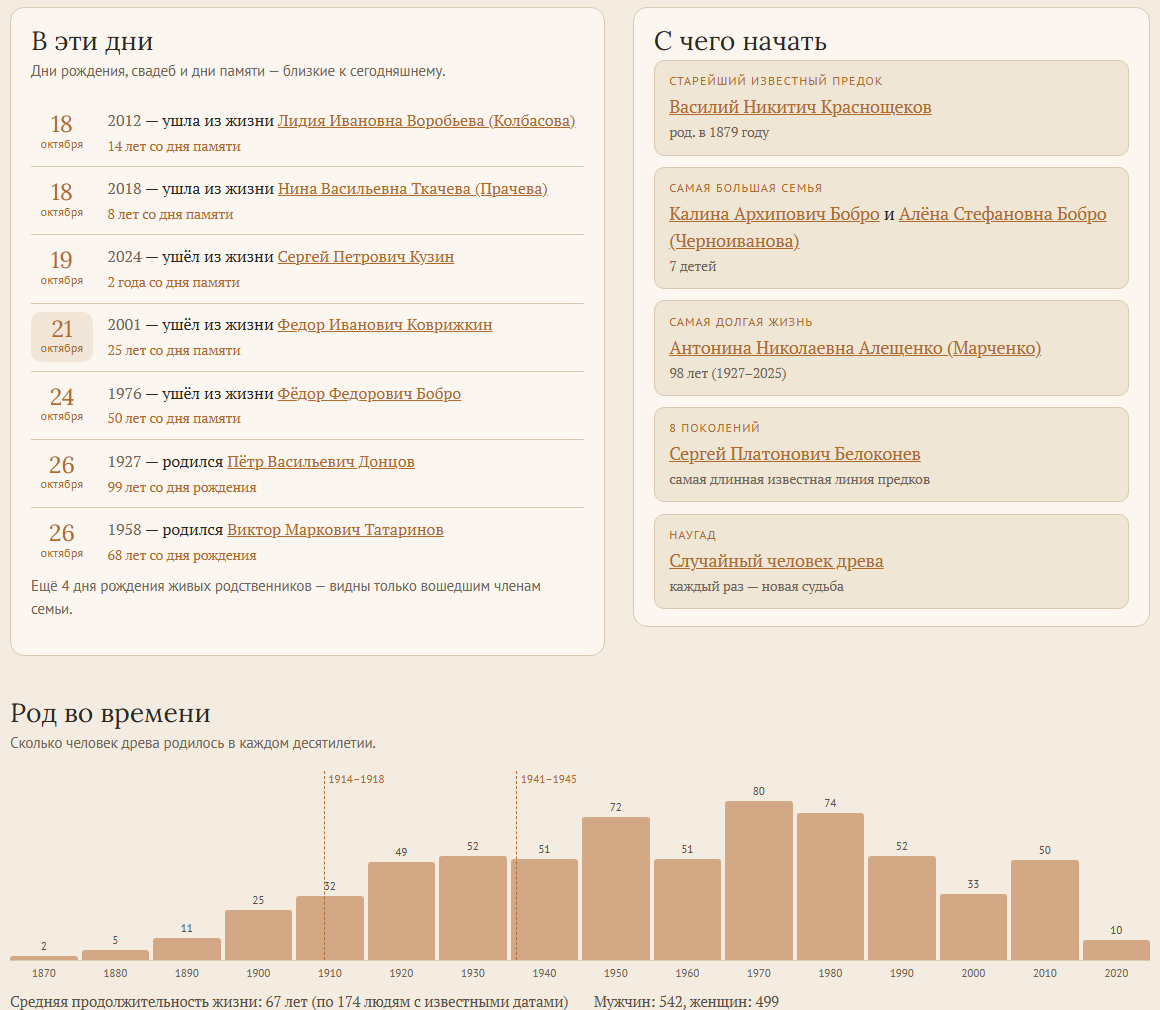
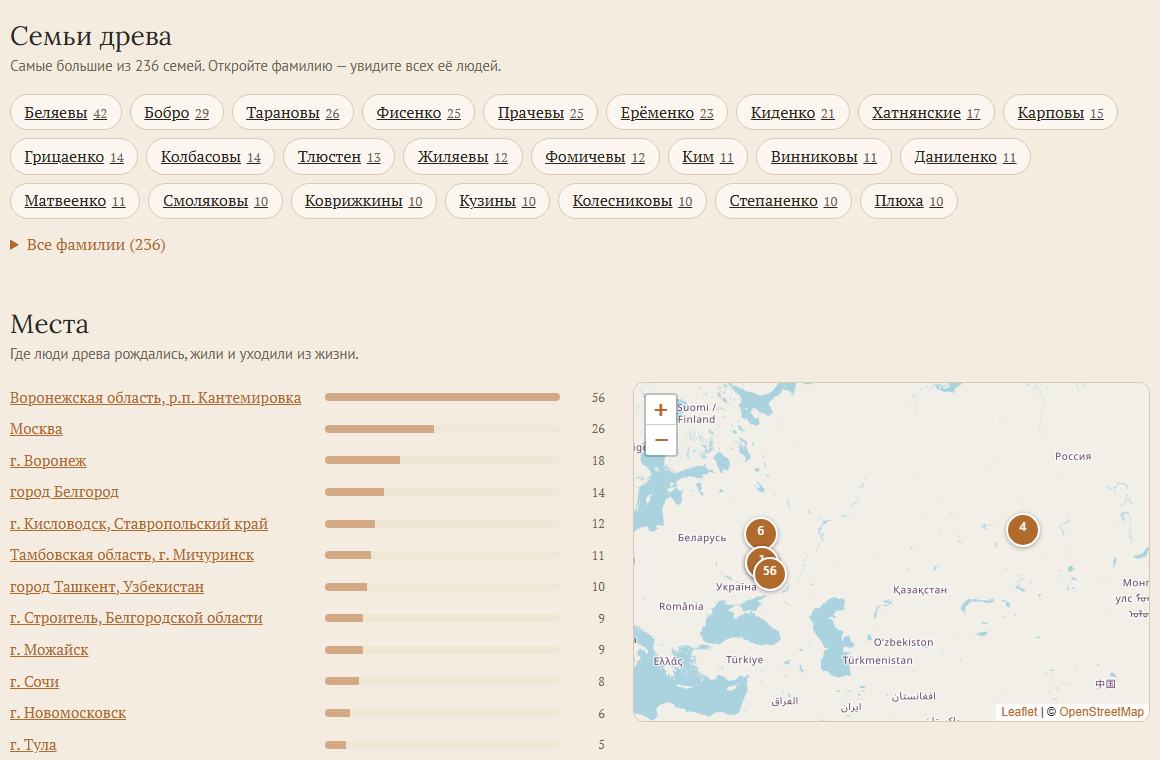
- A front page for the tree: the tree in numbers, faces of the older generations, remembrance days around today, ways into the tree, births per decade, families by surname, places on a map.
- Instant search over people (all their names, places and years) and the posts of the site.
- An index of people and a top surnames widget.
Privacy
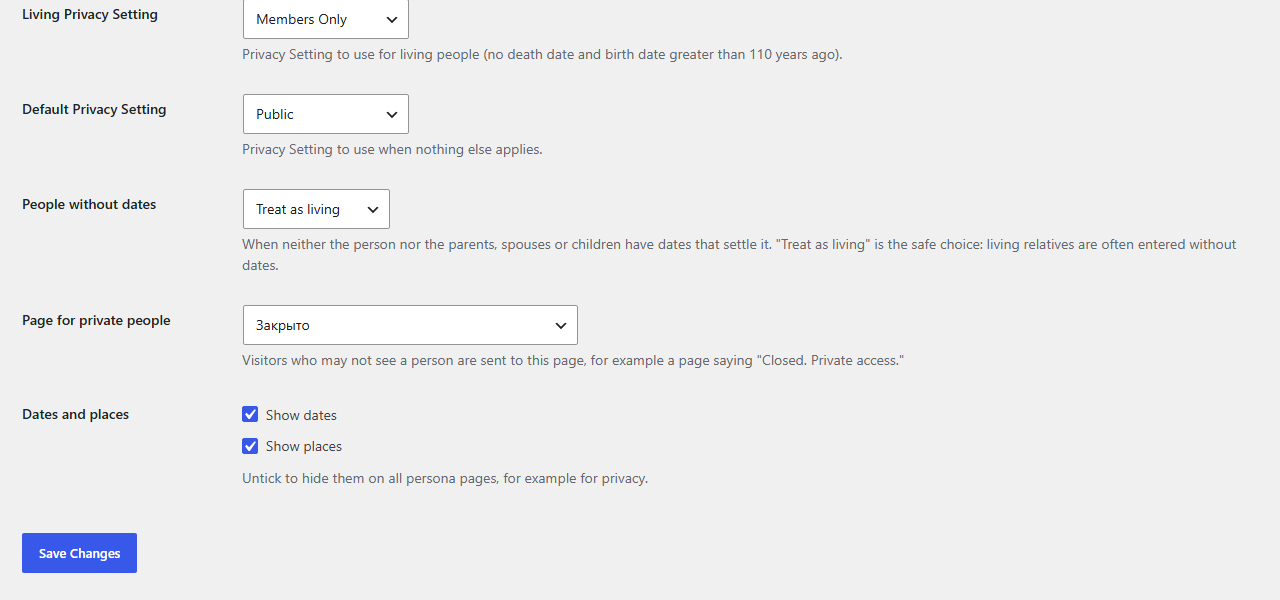
- Each person is Public, Members only or Private; the default for living people is a setting.
- A person without dates is judged by their own events and by their relatives.
- Hidden people get “Private” as their page title, a noindex tag, and are left out of sitemaps, menus, search, the front page and the export. Visitors can be sent to a page you choose.
Editing on the site
If RootsPersona is your “system of record”, people and their facts can be edited online and new people added, without a genealogy program.
Gambar conto
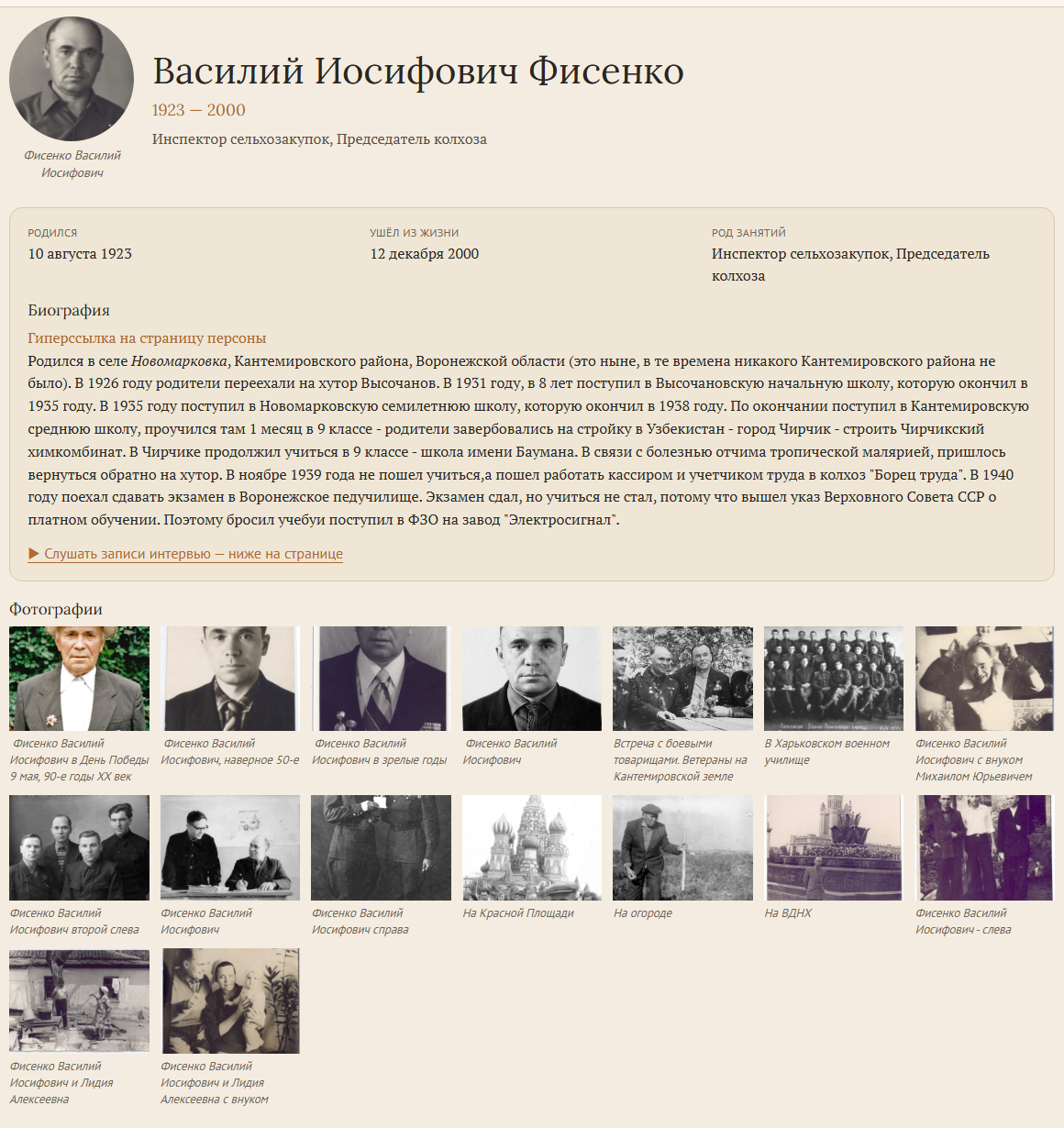
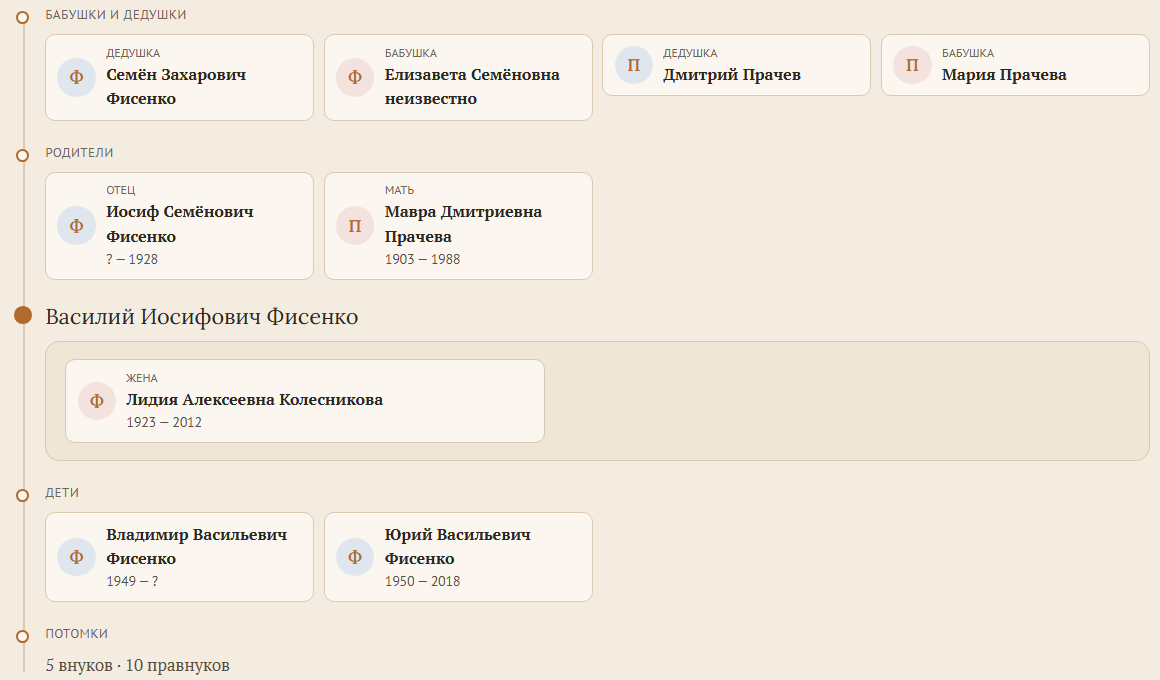
![The front page of the tree, [rootspersona_hub]: the tree in numbers and the faces of the older generations.](https://ps.w.org/rootspersona/assets/screenshot-3.png?rev=3760316)
![The chart of the whole tree, [rootspersona_chart]: zoom, drag and search; every person links to their page.](https://ps.w.org/rootspersona/assets/screenshot-6.png?rev=3760316)
Pemasangan
- Install RootsPersona from Plugins Add New, and activate it.
- Go to Tools RootsPersona Upload GEDCOM and upload the file (.ged, .gdz or .zip) exported from your genealogy program.
- Choose who gets a page in Tools RootsPersona Add Uploaded Persons (select several people or the whole list). Pages are created under the parent page set in Settings RootsPersona; any number of people can be added at once.
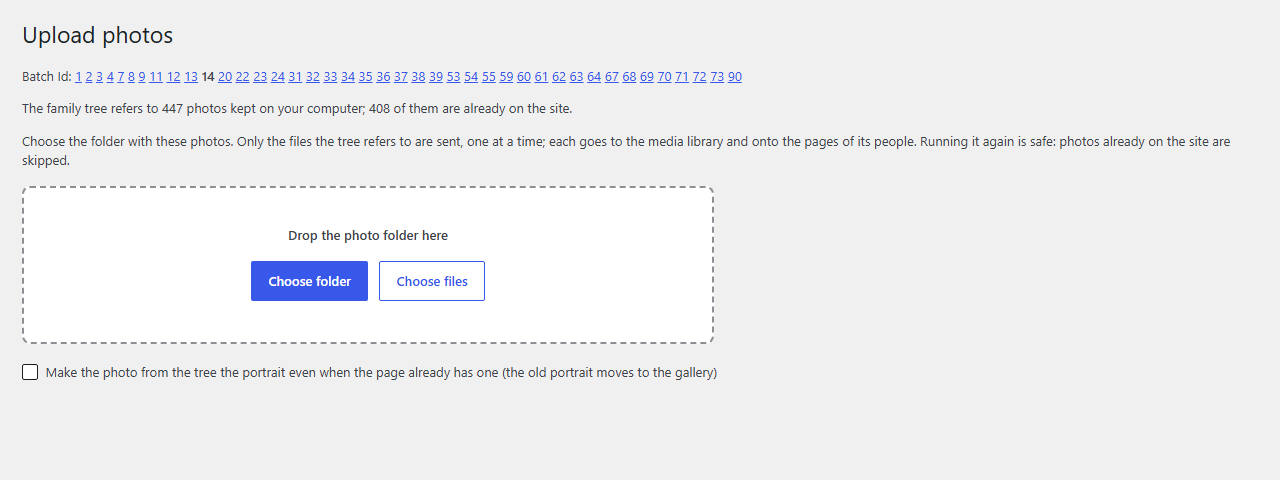
- If your program links photos to people, open Tools RootsPersona Upload photos and choose the photo folder (not needed for a .gdz or .zip with the photos).
- Make a front page for the tree with
[rootspersona_hub]and a search box with[rootspersona_search](see the FAQ), and add them to your menu.
Choose the layout, colours, privacy rules and what each page shows in Settings RootsPersona.
When the tree changes, export it again from your program and upload it with the same Batch Id: the pages are updated, new people can get pages.
FAQ
-
Which GEDCOM versions and programs are supported?
-
GEDCOM 5.5 and 5.5.1 from any program, and GEDCOM 7.0 / 7.1, also as GEDZIP archives with photos. The file may be in UTF-8, UTF-16, ANSEL or a Windows code page: Cyrillic “ANSI” files (Windows-1251) are recognised. Tags of common programs are understood: married names (_MARN, _MARNM), adoption (_FREL, _MREL), other names (_AKA), the main photo (_PRIM). When a new version of the tree is uploaded, people renumbered by the program are recognised by its code (_UID, FamilySearch ids), by name and birth year or by their relatives, so their pages, addresses and photos stay with them.
-
Can I reload a GEDCOM file?
-
Yes, and it is the normal way to keep the site up to date: upload the new file with the same Batch Id. People and families are updated in place; pages, their addresses, your own text on them and the photos stay. Your program may give people new numbers (I123) — RootsPersona recognises them by their code, name and birth year or relatives. If too many people cannot be recognised, the file is probably another tree, and the import stops without changing anything (a checkbox lets you load it anyway). People who are no longer in the file are listed in the report, their pages are not deleted.
-
My genealogy program links photos to people. How do they get onto the site?
-
The GEDCOM file only names the photo files on your computer. Open Tools RootsPersona Upload photos and choose the folder with the photos: only the files the tree refers to are uploaded, and each appears on the pages of its people — the person’s own first photo as the portrait, the others in the gallery. Names are matched loosely (“Ivanov Ivan[1].jpg”, ё/е, spaces and dashes), and a photo already on a page under another file name is recognised and not uploaded twice. Running it again is safe. Or upload the tree as an archive — a GEDZIP file (.gdz, GEDCOM 7) or a .zip with the GEDCOM file and the photos — on the Upload GEDCOM page: the photos then go onto the pages by themselves.
-
My persona pages are built with Elementor (or another page builder). Does that work?
-
Yes. Put the persona shortcode in a Shortcode widget, whole (
[rootsPersona personId="I1" batchId="1" /]) or in parts withpart="intro",part="family",part="photos",part="map",part="sources"orpart="rest", and your own widgets in between. Photo upload puts the portrait into the widget with the intro and other photos into the widget with the photos. -
How do I make a front page for the family tree?
-
Put
[rootspersona_hub]on a page (in Elementor: the Shortcode widget). It shows the tree in numbers, faces of the older generations, remembrance days around today, ways into the tree (earliest ancestor, largest family, longest life, a random person), births per decade, the families of the tree by surname and the places with a map. Surname and place pages open on the same page. The parts also work alone, for example on the home page:[rootspersona_faces count="12"],[rootspersona_today days="7"],[rootspersona_start],[rootspersona_timeline],[rootspersona_surnames count="30"],[rootspersona_places]. Everything is counted over the people the visitor may see; birthdays and portraits of living people are shown to logged-in users only. With several trees on one site, addbatch="2". -
Can I show the chart of the whole tree drawn by my genealogy program?
-
Yes. Export the chart as an SVG file (for example from “Древо Жизни”) and upload it on Tools RootsPersona Tree chart. If the chart has photos, upload a ZIP with the SVG file and the folder of photos the program saved next to it, or put that folder into the media library. Every box whose name and years match a person of the tree becomes a link to their page; namesakes are told apart by the years, the birth surname in brackets and by where their parents, spouses and children are drawn. A report lists the boxes that could not be linked. Put
[rootspersona_chart]on a page: the chart opens there with zoom (wheel, two fingers, buttons), drag, full screen and a search that finds and highlights people. Scripts and outside links are removed from the uploaded file. After a GEDCOM import or when new pages are created, the links are made again by themselves. -
How do I add search?
-
Put
[rootspersona_search]where the box should be, for example in the header, and[rootspersona_search_results]on a search results page; point the box to it with[rootspersona_search results="/search/"]. Suggestions appear while typing: people by any of their names, places and years (ё and е are the same), and the posts of the site. Visitors search a prebuilt index, so it is instant; logged-in users also find the people only they may see. -
Which shortcodes are there?
-
[rootsPersona personId="I1" batchId="1" /]— the persona page (part="…"for a part of it, see above).[rootsPersonaIndexPage batchId="1" /]— index of all people.[rootspersona_hub]and its parts — front page of the tree.[rootspersona_search],[rootspersona_search_results]— search.[rootspersona_chart]— the chart of the whole tree uploaded on Tools RootsPersona Tree chart.[rootsEvidencePage batchId="1" /]— the sources of the tree; withsourceId="S1"one source and the people it is cited for.[rootsEditPersonaForm]— the edit form (system of record only).- The older panel shortcodes (
rootsPersonaHeader,rootsPersonaFacts,rootsPersonaAncestors,rootsPersonaFamilyC,rootsPersonaFamilyS,rootsPersonaPictures,rootsPersonaEvidence,rootsPersonaBio,rootsPersonaDescendancy) still work for the Classic layout.
-
Who counts as living, and what do visitors see of them?
-
A person born less than 110 years ago without a death is living. A person without dates is judged by their own events (a burial means deceased) and by their parents, spouses and children; with no clue at all the “People without dates” setting decides. What living people show — everything, only to members, or nothing — is set in Settings RootsPersona Privacy, and each page can override it. Hidden people are left out of titles, menus, sitemaps, search, the front page and, if you choose, the GEDCOM export.
-
Where does the map on a persona page come from? Does it contact other servers?
-
When the GEDCOM file gives coordinates for a place (PLAC with MAP, LATI and LONG), the persona page shows the places of the person’s life on a map. The map is drawn with Leaflet (included in the plugin, BSD 2-Clause license) and the map images come from OpenStreetMap: when a visitor scrolls to the map, their browser loads the images from the OpenStreetMap servers, which see the visitor’s IP address. Mention this in your privacy policy if your site needs one. The map can be switched off in Settings (Show on the page Map of places), and developers can use another map provider with the
rootspersona_map_tilesfilter. -
What happens to the GEDCOM file I upload?
-
The file on your computer is untouched. The copy uploaded to the site is read into the plugin’s database tables and then deleted, together with any archive it came in. The photos of an archive go to the media library.
-
A GEDCOM import fails or shows “Database update error”. What should I send to the developer?
-
RootsPersona keeps its own import log. Open Tools RootsPersona Upload GEDCOM, scroll to the Import log box, press Download log and send the downloaded file to the plugin developer. The box also shows where the file is stored on your site (wp-content/uploads/rootspersona-logs/). The log lists every import step, the GEDCOM record that was being processed when the error happened and the exact database error. To get a clean log, press Clear log first and then repeat the import. The log may contain short fragments of your family data (names, notes), so send it only to the developer.
-
How can I help translate RootsPersona or correct a translation?
-
RootsPersona is translated by the community at translate.wordpress.org. Open your language there and suggest or correct a string. Once the language team approves it, WordPress delivers it to all sites automatically – no plugin update is needed.
-
I am upgrading from a version earlier than 2.4.0.
-
Upgrade to 2.4.0 first, then to the current version.
Mācā ulang


Contributors & Developers
“RootsPersona” is open source software. The following people have contributed to this plugin.
Kontributor

“RootsPersona” has been translated into 5 locales. Thank you to the translators for their contributions.
Translate “RootsPersona” into your language.
Interested in development?
Browse the code, check out the SVN repository, or subscribe to the development log by RSS.
Caathetan Owahan
4.3.0
- New: GEDCOM 7.0 / 7.1 import, and GEDZIP (.gdz) or .zip archives with the photos.
- New: GEDCOM files from more programs: UTF-16, ANSEL and Windows code pages (Cyrillic “ANSI” recognised), KOI8-R, old Mac line ends, very long lines; tags _MARNM, _FREL / _MREL, _AKA, _PRIM, _UID, _FSFTID.
- New: re-importing keeps people on their own pages when the program renumbers them: they are recognised by their code (_UID), name and birth year or relatives. A file of another tree is stopped before anything changes. Families no longer in the file are removed; people no longer in it are listed in the report.
- New: GEDCOM export (Tools RootsPersona Export GEDCOM) as GEDCOM 5.5.1, GEDCOM 7.0 or GEDZIP with the photos, optionally without living and private people.
- New: Upload photos — choose the photo folder of your tree, and the photos go to the media library and onto the pages of their people, also on pages built with Elementor. A photo already on a page under another name is not uploaded twice.
- New: a map of the places of a life on the persona page (Leaflet and OpenStreetMap, can be switched off).
- New: front page of the tree,
[rootspersona_hub], with faces, remembrance days, ways into the tree, timeline, surnames and places; its parts work alone too. - New: instant search,
[rootspersona_search]and[rootspersona_search_results], over all names, places and years of the people and the posts of the site. - New: schema.org Person markup on persona pages.
- New: adoption and fostering, sources in the Archive card and Chronicle layouts.
- Fix: the import now keeps everything the file has: coordinates, addresses, age, notes and photos of events, quoted source text, repositories, restrictions; Cyrillic text cut in the middle of a letter, cause of death (CAUS) and line breaks in notes were lost before. Editing a person no longer drops their source citations, other names and own event types.
- Fix: full names no longer have double spaces; page title sync keeps each page’s own name order.
- Fix: the search results page shows one search box.
- Fix: a photo caption with square brackets (genealogy programs write titles like “Name[1]”) no longer breaks the persona page, which printed “‘ /]” and lost the photos after it. Captions that are file names become readable names, and pages already broken are repaired on update.
- New: Tree chart — upload the SVG chart of the whole tree from your genealogy program; its people become links to their pages, and
[rootspersona_chart]shows it with zoom, drag and search. - Performance: GEDCOM import is 6 to 10 times faster: each step is written in one database transaction, and records new to an empty tree skip looking for old data. A tree of 5000 people now loads in about 16 seconds instead of 160, a reload takes 42 seconds instead of 254.
- New: a persona page takes any number of photos (it was 27); the edit form shows the page’s photos and an “Add photo” button.
4.2.4
- New: two persona page templates besides the classic layout, “Archive card” and “Chronicle”, with colour sets (Sepia, Neutral, Dark or the theme’s colours), colour pickers and a live preview. A template page can be printed in parts with [rootsPersona part=”intro|family|photos”], so your own content (contents, memoirs, galleries) can sit between them.
- New: dates are shown in the site language instead of raw GEDCOM: “15 March 1822”, “about 1890”, “between 1852 and 1854”, “from 1846 to 1890”. Julian (Old Style) dates show the New Style in brackets, e.g. “15 (27) March 1822”. The edit form keeps the raw date, so saving no longer drops the Old Style mark.
- New: divorce, other names (birth name, married name, also known as), nickname and the cited page of each source are now shown.
- New: “Page for private people” option — visitors who may not see a person are redirected to a page you choose (for example “Closed. Private access.”).
- New: “People without dates” option. A person without a birth year is now judged by their other events and by their parents, spouses and children (a child born in 1850 means the parent is deceased; a spouse born in 1990 means living). With no clue at all the option decides; the default is “living” (such people used to be public). A burial without a death date now means deceased.
- New: the Settings page is organised in tabs, with “Show …” checkboxes and page dropdowns.
- Privacy: persona pages are no longer listed in automatic page lists and menus (block theme navigation, Pages widget), which showed thousands of entries — including names of living people — on every page.
- Privacy: pages of living/private people get “Private” as page, browser and Yoast / Rank Math title, a noindex tag, and are left out of the WordPress and Yoast XML sitemaps.
- Fix: “Add Uploaded Persons” works for any number of people. Selecting more than about 1000 at once used to create nothing (PHP max_input_vars); pages are now created in chunks with a progress line. Entries show years and the GEDCOM id, so namesakes can be told apart.
- Fix: every residence was stored and shown twice. Pages show it once now; reloading the GEDCOM cleans the database.
- Fix: families with events but no marriage date no longer disappear from the person page.
- Fix: “@#DJULIAN@” no longer shows in marriage dates; stray ” – ;” in the facts list removed; the empty “Family Group Sheet – Child” table of “?” is not shown for people without parents.
- Performance: public pages load only the scripts they need (about 40 fewer files per page); the jQuery UI widgets stay on admin screens.
- Fix: PHP 8.1+ deprecation notices during GEDCOM import.
- The experimental SVG tree module is off by default (enable with the ROOTSPERSONA_ENABLE_SVG constant).
- Russian translation completed.
4.2.2
- Fix: the Settings page and plugin activation no longer stop with a PHP 8 fatal error (“Unknown format specifier” / “ArgumentCountError” in sprintf) when a translation has a damaged placeholder such as “% pages” instead of “%s pages”. Translated messages are now built through a safe formatter that repairs or neutralises a broken format instead of failing.
- Fix: repaired the damaged placeholders in the French and Dutch translations (thanks to lucv59 for the report).
4.2.1
- Fix: reloading a GEDCOM that was already imported (same Batch Id) no longer stops with “Database update error” part-way through. Existing families, notes and sources are now updated in place, the same way individuals already were, instead of being treated as a fatal duplicate.
- New: the plugin now keeps its own import log (wp-content/uploads/rootspersona-logs/). It records every import step, the GEDCOM record being processed when something fails, and the real database error. On the Upload GEDCOM File page you can see the file location and use “Download log” / “Clear log” to send it to the developer.
- Fix: a PHP fatal error or exception during an import step (for example a time or memory limit) is now reported on the upload page and written to the log instead of leaving the progress bar stuck.
4.2
- Ed Thompson transferred ownership and maintenance of RootsPersona to Yuriy Fisenko on January 27, 2026.
- New: GEDCOM uploads are now imported in small, time-boxed steps via AJAX with a progress bar, instead of parsing the whole file in a single request. Large trees (and full reloads) that used to fail with a PHP execution-time timeout should now complete regardless of the file size.
- Fix: removed leftover debug output that could leak into the GEDCOM import response, occasionally showing a duplicated or garbled error message on the upload page.
- Dev: when a GEDCOM import fails with “Database update error”, the real underlying database error is now written to the server’s PHP error log to make the cause easier to diagnose.
- Fix: the photo lightbox now sizes the image to fill the available height instead of a flat ratio that left it looking small on tall screens, and no longer occasionally shows the caption before the image has finished loading.
- Fix: the persona edit form’s “Cancel”/”New” button now correctly shows “View” when a page already exists for the persona being edited, and only offers “New” when RootsPersona is set as the System of Record.
- Dev: the chunked GEDCOM upload now moves the uploaded file via the WP_Filesystem API instead of calling move_uploaded_file() directly.
- Dev: the ANSEL-to-Unicode character mapping used for older GEDCOM files is now parsed in memory instead of writing a temporary file into the plugin’s own folder.
- Updated “Tested up to” to 7.1.
4.1
- Security: removed the custom CSS (custom_style) and custom shortcode/page (custom_page) options that allowed arbitrary code insertion; page styling now uses dedicated, validated fields only.
- Security: settings are saved with proper sanitizers — colours via sanitize_hex_color(), image URLs via esc_url_raw().
- Security: added nonce verification to the persona edit action and signed every edit/add link with wp_nonce_url().
- Security: added missing sanitize_text_field() validation to legacy input fields found during a repository-wide security audit.
- Fix: resolved multiple PHP Deprecated notices on modern PHP versions (PHP 8.2+ / 8.4) by explicitly declaring properties in the individual record class.
4.0
- Security bug fixes
- Numerous bug fixes; compatibility with current WordPress and PHP.
- Fixed a bug: when editing on the site, a person could be added back to the page addition list after re-uploading the gedcom file, resulting in duplicate pages.
- Added Lightbox functionality for photos;
- Added text fields for photo titles and captions.
3.7.6 Forked
- Security issues fixed by Yury Fisenko
3.7.4
- incorporated name formatting fixes by Tony Smith
3.7.3
- fix evidence title
- fix groupd sheet
- fix classification & persona_name
3.7.2
- fix count on empty field
3.7.1
- fix issue with attaching images
3.7
- IMPORTANT Rootspersona now requires PHP5.6 or above
- do not delete Evidence Index when deleting persona pages
- minor bug fixes
- fix SOR save issue
3.6.3
- Dutch translation files
3.6.2
- fix 404 jquery.tablesorter.js not found issue
- fix issue with evidence page javascript
3.6.1
- fixed data access issue for SOR mode
3.6.0
- updated for PHP 7
3.3.3
- fix issue with page title changing back to last name first
3.3.2
- fix surname widget (missing div)
- add batch id to notes lookups
3.3
- added hide donation button option
- fixed validation tool issue with corrupting page titles
3.2
- fix jquery drag and drop issue on admin screen (WP 3.6.1 compatability issue)
- fix parent page for evidence causing large top level menus
- include name suffix (Jr, Sr, etc…) when displaying name(including page titles)
- surname widget now has links
- fixed bug blocking new facts in Persona Editor
3.1.2
- some users reported install issues. read only file was opened rw, perm issues
3.1.1
- minor error when adding new page
3.1.0
- fix WP 3.5 compatability issue with JQuery (showed itself on widget screen)
- Added advanced template feature
- Fixed 404 error when permalinks used
- Fixed error in bio shortcode (not retrieving data)
3.0.7
- fix issue with FACT types versus EVENT types
- added option to make Editor optional edit privileges
3.0.6
- fix errant join when multiple batches
- fix problem with pictures not appearing on edit screen
- fix save privacy issue at persona level
- address jQuery issue in WP 3.4
3.0.4
- remove errant wp_ from table name
3.03.
- fix event and fact matching
3.0.2
- fix issue with mysql connections and families
- fix issue with parental links when mysql connections needed
3.0.1
- Added System of Record support, including adding and editing persons
- Better handling of surname slashes to avoid mushed names
- Updated installer to support multi-site WP
- removed null surnames from top ten list
- added error check for failure to upload a file
2.5.0
- Facts panel now displays Facts and Events
- Cleaned up the options screen
- fixed a couple of minor javascript bugs
- fixed IE incompatability with the delete method
2.4.0
- Support for HTML5 microdata from historical-data.org
- Added a top 10 surname widget
2.3.2
- minor fix to CSS for date fields
2.3.1
2.3.0
- Reroute private person link on public person page site url
- new style options to work with more themes
- fox spousal dates on Descendants panel
2.2.0
- Added Descendancy Charts to persona page
- Minor bug fixes
2.1.1
- Fixed missing batch_id for page edits
- Fixed missing argument 1 error for edits
- Use first 60 characters of TITLE if ABBR missing from GEDCOM
2.1.0
- fixed issue with the Hide Locations option
- reorganized options page
- added more style overrides (backgrounds and border colors)
- added option to delete data after deleting pages
- fixed issue with multiple entries on index when the GED has multiple names
- fixed localization bug (pointing to wrong directory)
- added support for defining different ‘batches’ for GED files (support for separate ‘trees’)
2.0.4
- rows per page option for indices made visible
- added style attribute to index shortcodes – supports paginated (default) and scrollable
2.0.3
- Fix issue with competing index pages
2.0.2
- Fix issue with missing name in index if full name is not really complete
- fix issue with multiple birth dates in GEDCOM overwriting death date
- added surname attribute to index shortcode to support index by shortcode.
2.0.1
- changed the underlying code to be database driven
- added more flexible privacy options
- pictures now wrap on the persona page
- No more xsl processing
- plugin processes with less memory
- picture selection now interfaces with the WordPress media picker
- improved localization
- indexes now paginated (but sorting is gone)
- you can now customize the banner (the divider between persona panels) to be more consistent with your theme
- support for multiple character encodings
- added a second panel design for the header panel that display a bio
- added an optional bio panel
1.6.6
- misc bug fixes
1.6.2
- sorting Evidence Index by title
- formatting Evidence title
1.6.1
- sorry, few bugs in 1.6
1.6
- added more events to the Facts panel
- added validation of parent page assignment to page validation
- upload process uses less memory
- upload process now converts most character encodings to UTF-8
- added error checking for file not found, empty HTML pages
- added Evidence pages